








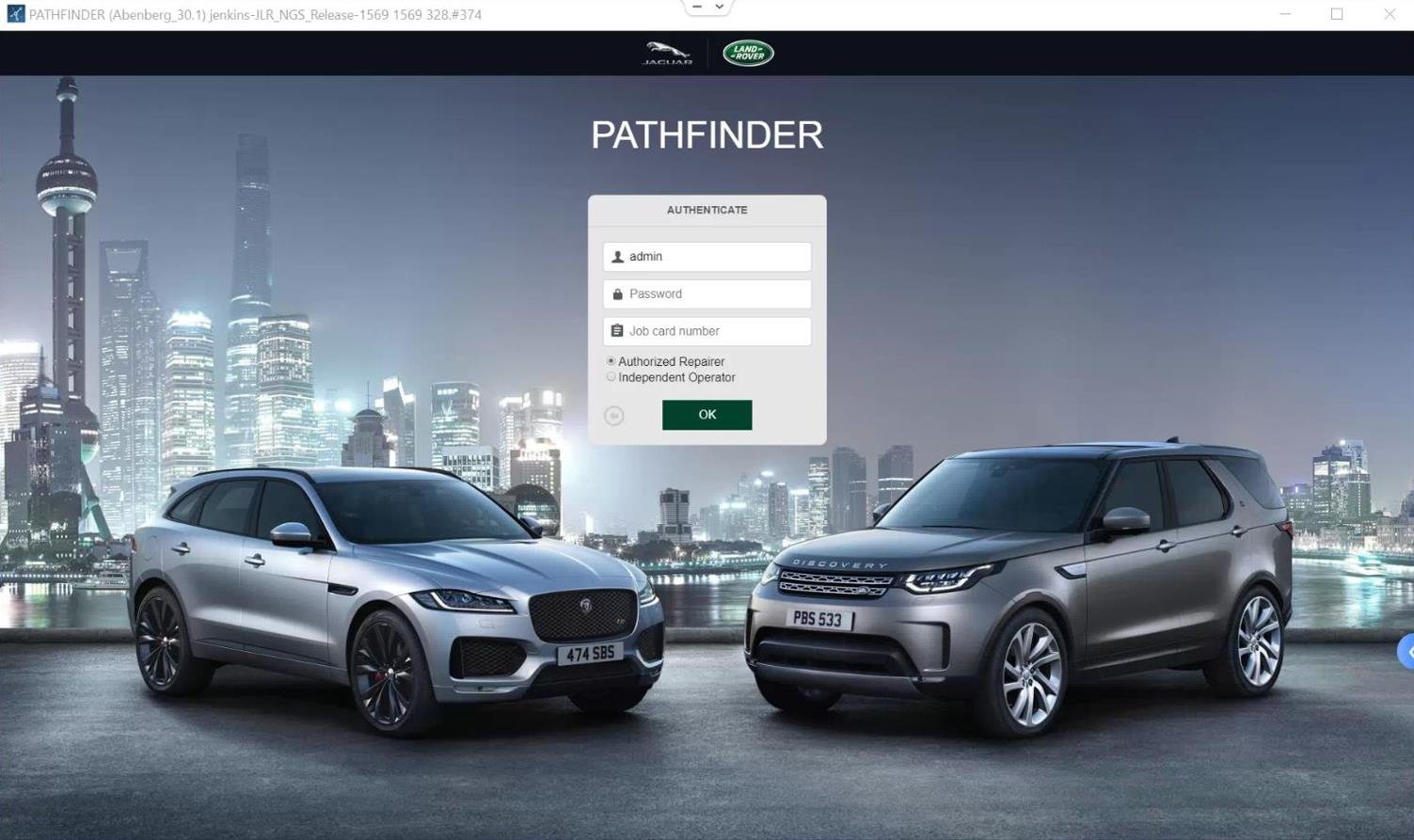
PATHFINDER, TOPIX
How to use JLR topix diagnostic vehicle
Nov
How to Use JLR Topix Diagnostic Vehicle: Mastering Modern JLR Diagnostics
Demystifying the JLR Topix Diagnostic Vehicle Platform
Let’s dive into the technical core of what makes this system the new standard for JLR diagnostics and programming.
What is Topix and How Does it Work?
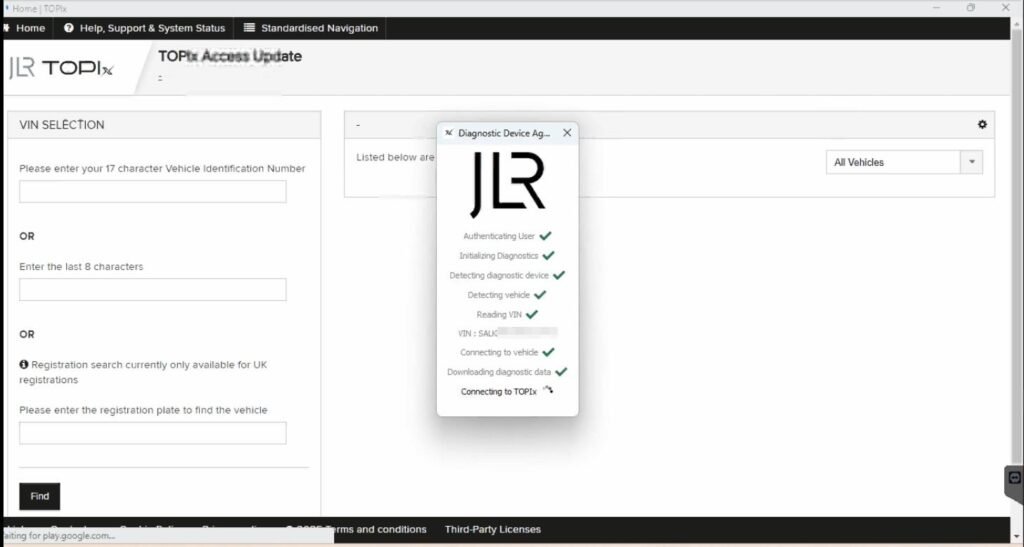
Topix (Technical Online Product Information) is JLR’s official, cloud-based diagnostic and repair portal. The “Topix diagnostic vehicle” refers to the live, online session where your workshop computer, via a dedicated VCI, communicates with JLR’s servers to perform tasks on the vehicle. Unlike older systems that relied on locally installed software, Topix leverages a constant internet connection to access the latest diagnostic routines, software updates, and CCF (Car Configuration File) data directly from JLR. This ensures you are always working with the most current procedures and datasets.
A Step-by-Step Guide to a Typical Topix Session
While every job is unique, the fundamental workflow for using the JLR Topix diagnostic vehicle platform follows a logical sequence.
- Vehicle Preparation: Park the vehicle in a well-ventilated area. Connect a stable battery maintainer/charger. This is non-negotiable for any programming task.
- Hardware Connection: Connect your approved DOIP VCI to the vehicle’s OBD-II port and to your PC via Ethernet or USB, depending on the model.
- Software Launch: Open your Topix interface and log in with your certified technician credentials.
- Vehicle Identification: Enter the VIN. The system will identify the vehicle and present the available diagnostic and programming options.
- Task Selection: Choose the required task, such as “Module Programming,” “Diagnostic Routine,” or “CCF Editing.”
- Follow On-Screen Instructions: The cloud-based JET (JLR Engineering Tool) will guide you through each step, often requiring specific ignition cycles or button presses.
- Session Completion: Once the process is complete, the system will provide a session report. Always clear fault codes and perform a final verification test.
Essential Tools for the Job
You cannot approach a Topix diagnostic vehicle session with amateur equipment. The required toolkit is specific and critical for success.
- JLR-Approved DOIP VCI: A genuine or fully compatible Diagnostics over Internet Protocol Vehicle Communication Interface is mandatory. This is the hardware bridge between the car and the cloud.
- Stable Power Supply: A high-quality battery maintainer capable of delivering consistent voltage (typically 14-15V) under load is essential to prevent module corruption during programming.
- Software & Credentials: Access to the Topix cloud portal and a valid, active technician subscription.
- Robust Internet Connection: A stable, high-speed wired internet connection is highly recommended to avoid session drops.
For a detailed breakdown of the required hardware and software, including reliable sourcing options, visit our dedicated guide on the JLR Topix diagnostic vehicle.
Common Challenges and Expert Solutions
Even for experts, challenges arise. Here’s how to overcome the most common ones.
- Challenge: “VCI Not Found” or communication errors.
Solution: Check all physical connections, reinstall VCI drivers, and ensure your firewall/antivirus is not blocking the Topix application. Using a certified DOIP VCI is paramount. - Challenge: Programming session fails or freezes.
Solution: 99% of the time, this is due to an unstable power supply or internet connection. Double-check your battery maintainer and use a wired Ethernet connection for your PC. - Challenge: Inability to edit a specific parameter in the CCF.
Solution: Some features are “dealer-only” or require a specific software level. Ensure all other modules are up to date, as dependencies often exist. Sometimes, a full module reconfigure is needed instead of a simple CCF edit.
Frequently Asked Questions (FAQ)
What is the primary purpose of the JLR Topix diagnostic vehicle?
The primary purpose is to provide a stable, cloud-based platform for advanced diagnostics, module programming, and Car Configuration File (CCF) editing for Jaguar Land Rover vehicles, replacing older, less reliable systems like IDS/JDS.
Can I use any generic VCI with Topix?
No, you cannot. A stable connection is critical. You must use a JLR-approved DOIP (Diagnostics over Internet Protocol) VCI device. Generic interfaces often lack the proper drivers and processing power, leading to communication failures and potentially bricking a module during programming.
What is the most critical step before starting any programming session with Topix?
The most critical step is ensuring a stable power supply. You MUST connect a professional-grade battery maintainer capable of delivering consistent voltage. Power fluctuations during programming are a leading cause of module failure.
Conclusion: Elevate Your JLR Diagnostic Expertise
Mastering the Topix diagnostic vehicle system is a fundamental step for any technician serious about working on modern Jaguar and Land Rover vehicles. It empowers you to go beyond simple diagnostics into the realm of precise module configuration, programming, and CCF editing. By understanding the technical workflow, using the correct DOIP VCI and power supply, and knowing how to troubleshoot common errors, you can perform complex tasks with confidence and precision. Embrace this powerful tool—it is the present and future of JLR diagnostics.
Ready to Tackle Advanced JLR Tasks?
For reliable tools, expert support, and comprehensive guides for complex JLR diagnostic programming and genuine JLR OEM retrofits upgrade tasks, we highly recommend checking out the extensive resources and professional equipment available at jlrupgrades.com. Equip your workshop for success.
