Understanding the JLR
Diesel Exhaust Fluid (DEF) System
The DEF system, which JLR refers to as the Selective Catalytic Reduction (SCR) system, is an advanced emission control technology. Its purpose is to reduce harmful Nitrogen Oxide (NOx) emissions from the diesel engine.
How it Works:
1.A special fluid, AdBlue (a solution of urea and deionized water), is stored in a dedicated tank.
2. An injector sprays a fine mist of this fluid into the hot exhaust gases.
3. The heat converts the urea into ammonia.
4. The ammonia then reacts with the NOx in the SCR catalyst, converting it into harmless nitrogen gas and water vapor.
This system is complex, involving a dedicated control module (the DCU), pumps, injectors, heaters (as AdBlue can freeze), level sensors, and NOx sensors. A fault in any one of these components can trigger a system error.
Common Causes of AdBlue
/ DEF System Faults
When you see the dreaded countdown, the cause is often one of the following:
-
- Incorrect DEF Quality Detected:
The system has a quality sensor. If the tank is filled with a poor-quality
fluid, contaminated fluid, or worse, the wrong fluid entirely (like water or
diesel), the sensor will trigger a major fault. This is one of the most
common issues.
-
- NOx
Sensor Failure: The system uses NOx sensors before and after
the SCR catalyst to measure its effectiveness. A failed sensor will report
incorrect data and cause a fault.
-
- DEF
Injector Malfunction: The injector can become clogged or fail
electronically, preventing DEF from being sprayed into the
exhaust.
-
- DEF
Pump or Heater Failure: A failed pump can’t supply fluid to
the injector, and a failed heater can cause issues in cold climates.
-
- DEF
Tank Level Sensor Failure: The system may think the tank is
empty even when it’s full, or vice-versa.
-
- Software Glitches: Sometimes,
the fault can be caused by a software bug in the DCU or PCM, which can be
fixed with a software update.
Diagnosing the Fault
with Pathfinder & TOPIx Cloud
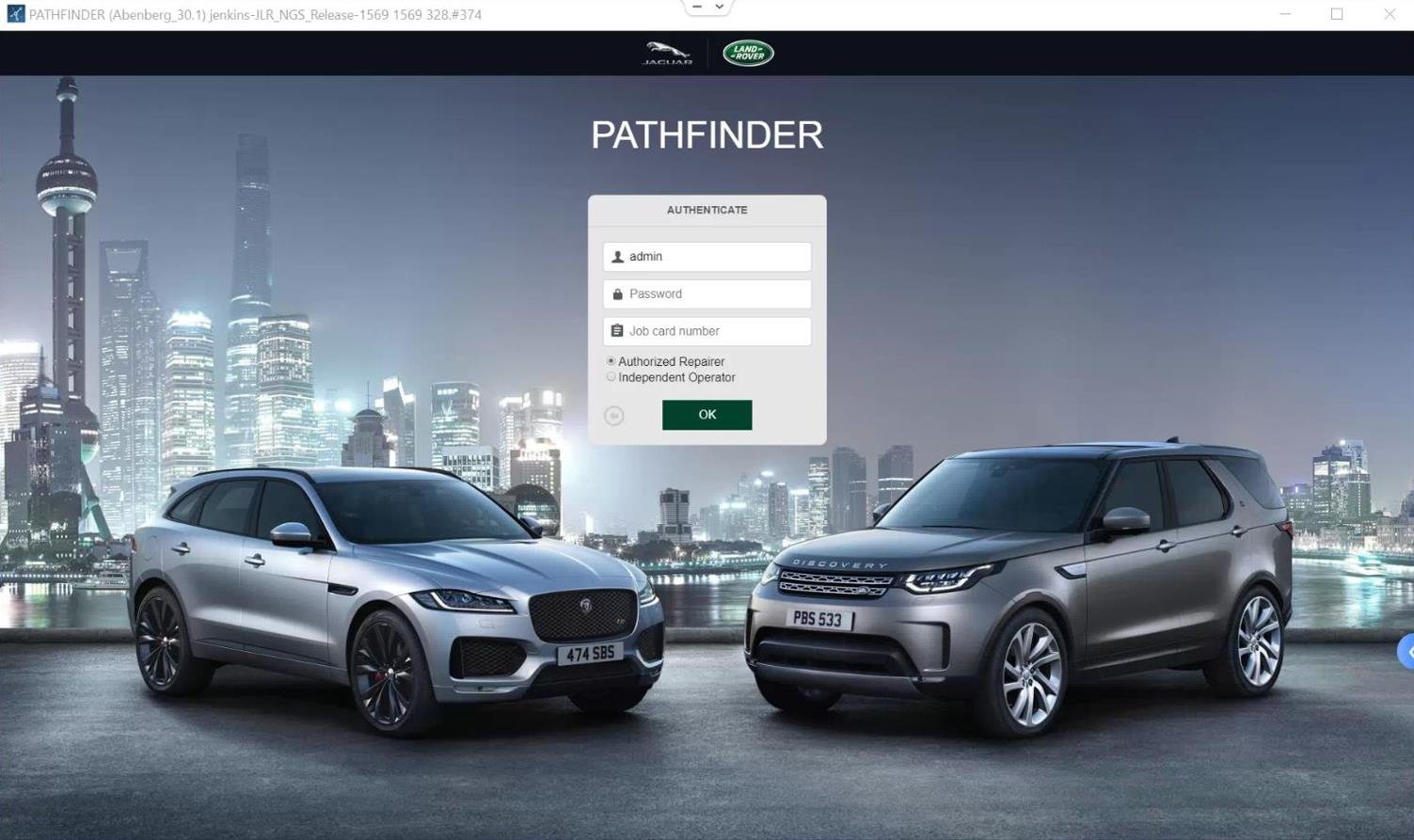
A generic scanner will likely just give you a generic “SCR System Fault” code. The official tool is needed to pinpoint the exact cause.
The Professional Diagnostic Workflow:
-
- Connect and Read Codes: Using
your TOPIx-Cloud.com access, connect to the vehicle with Pathfinder. Perform
a full system scan and specifically look at the DTCs stored in the Powertrain
Control Module (PCM) and the DCU (Diesel Control Unit).
2. Use Guided Diagnostics: Pathfinder will provide a step-by-step guided diagnostic routine for the specific codes stored. It will instruct you to
test specific components.
3. Check Live Data: View live data from the system. You can see what the NOx sensors are reading, check the DEF tank level and fluid quality
values, and monitor the DEF pump duty cycle. This is invaluable for seeing
what the system is doing in real time.
4. Run Component Tests: Pathfinder allows you to run special routines to test individual components, such as commanding the DEF pump to run or firing the injector to confirm they are working.
This level of detailed diagnosis is impossible with aftermarket tools and is the only way to avoid just randomly replacing expensive parts.
The Critical Step: The
SCR System Reset Procedure
After you have performed the physical repair (e.g., drained and refilled the tank with correct fluid, or replaced a faulty NOx sensor), you cannot simply clear the codes. The system has a ‘latched’ fault and the no-start countdown will continue. You must run the official JLR AdBlue / DEF system reset
tool procedure within Pathfinder.
The Reset Routine:
Under the service routines menu, you will find an application for “SCR System Reset” or “DEF Quality Reset.” Launching this routine will guide you
through a series of steps which may include running the engine at a certain
RPM for a set period. This forces the system to re-evaluate all its sensors
and confirm that the fault has been rectified. Once the system completes its
self-check and confirms everything is normal, it will clear the latched fault
and cancel the no-start countdown.
Access the Only Tool
That Can Do the Job Right
Being able to correctly diagnose and, most importantly, reset the JLR DEF/SCR system is a highly valuable service. It saves your customers from being disabled by a countdown and from an expensive trip to the dealer. A subscription to TOPIx-Cloud.com gives you the official software capability to perform this service correctly and efficiently.
Subscribe today and become the local expert on fixing the dreaded reset AdBlue warning Land Rover and Jaguar issue.