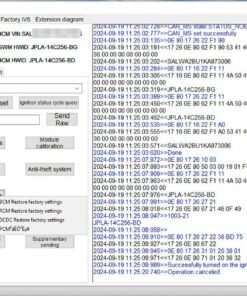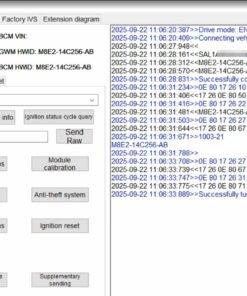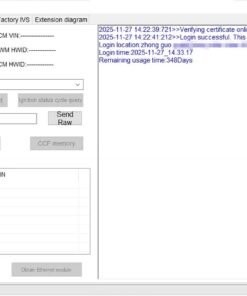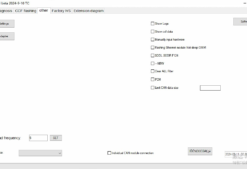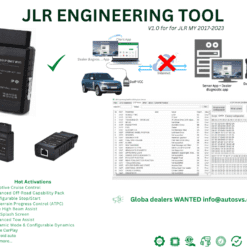

JLR CCF Tools 5.0: Advanced CCF Editor (Demo Access)
For the JLR retrofit specialist, editing the Central Configuration File (CCF) is a routine yet critical task. While JLR Pathfinder provides basic online access, its functionality is intentionally limited. On the other hand, full engineering tools like the JLR JET Master offer immense power but can be overkill and carry significant risk for configuration-only tasks. Consequently, a dedicated, powerful, and safe JLR CCF editor is essential.
Therefore, we introduce a demo of JLR CCF Tools 5.0. This standalone application provides a robust offline environment to read, modify, and write CCF data for all 2017-2024 JLR vehicles. In fact, it empowers you to perform complex customizations with a focused tool designed specifically for the job.

Key Advantages of CCF Tools 5.0
This tool was built from the ground up to overcome the limitations of other systems. As a result, it offers several distinct advantages:
- Full Offline Capability: First and foremost, you can download the vehicle's As-Built file and edit it on your machine without a live connection. This allows for careful, unhurried modifications and the ability to save multiple file versions.
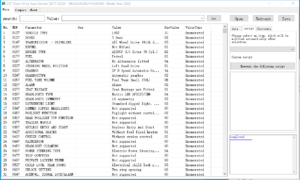
- User-Friendly Interface: Unlike cryptic engineering software, this tool presents CCF parameters in a clear, searchable list. Furthermore, it decodes values into plain English, which dramatically reduces the chance of error.
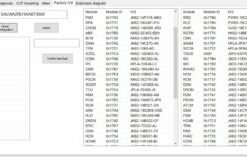
- Extensive Parameter Access: This tool unlocks hundreds of parameters that are hidden or inaccessible within Pathfinder. Consequently, you can enable factory features, integrate retrofit hardware, and customize vehicle behavior at a granular level.
- Safe Read/Write Process: The software uses a validated process to read the existing CCF and write your modified version back to the vehicle. In addition, saving the original file provides an instant backup and a secure recovery path.
The Professional Workflow
The entire process is logical and designed for workshop efficiency.
- Connect and Read: First, connect your JLR DoIP VCI to the vehicle and the laptop. Then, use the tool to read and save the original vehicle As-Built CCF file.
- Modify Offline: Next, disconnect from the vehicle and open the saved file. You can now take your time to find and change the desired parameters.
- Save and Verify: After making your changes, save the new file under a different name. You can also compare the modified file with the original to verify your edits.
- Write to Vehicle: Finally, reconnect to the vehicle. Select your modified file and use the tool's write function to securely apply the new configuration.
Frequently Asked Questions
How is this different from using JLR JET Master?
While an incredibly powerful engineering tool, JET Master is designed for deep-level flashing and module recovery. For the specific task of CCF editing, CCF Tools 5.0 is arguably safer and more efficient. In other words, it is the right tool for this specific job, minimizing risk by not exposing deeper, unnecessary functions.
What do I need to use this demo?
You will need a compatible JLR DoIP VCI, a Windows laptop, and the demo software itself. Crucially, a stable vehicle power supply is mandatory during the final write process.
What happens at the end of the demo period?
The software will cease to function after the demo period expires. Afterwards, you will have the option to purchase a full license to continue using its powerful capabilities.
Ready to take full control of vehicle configuration?
Ultimately, this tool is an essential addition for any serious JLR specialist. Stop fighting with limited software and start configuring vehicles with precision and confidence. Purchase Your Demo Access Today.