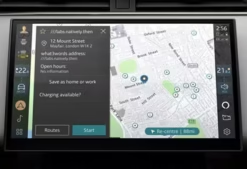

Land Rover InControl Touch Plus (Gen2.1) Map Activation PIN
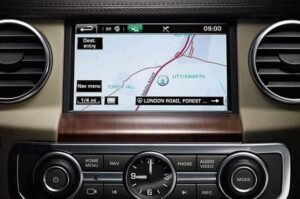
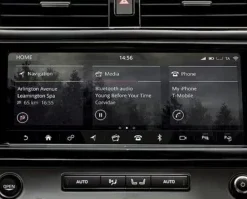
For owners of Land Rover and Jaguar vehicles equipped with the InControl Touch Plus (Gen2.1) infotainment system, keeping the navigation database current is essential for accurate routing. The update process, however, requires a final, critical component: a unique, vehicle-specific Activation PIN. Without this PIN, the new map data on the Infotainment Hard Drive (IHD) will remain locked. Consequently, your navigation system will not function correctly.
Topix Cloud provides a direct, reliable source for this genuine Land Rover InControl Touch Plus Map PIN. In short, we eliminate the need for a dealership visit by delivering the exact code you need to complete your map update securely and efficiently.

What This Product Delivers
To be perfectly clear, this product is not the map data file itself. Instead, you are purchasing one (1) single-use, genuine JLR Map Activation PIN that is specifically generated for your vehicle's unique Vehicle Identification Number (VIN).
- VIN-Locked Security: The PIN we provide is algorithmically tied to your vehicle's VIN. Therefore, it cannot be used on any other vehicle, which ensures a secure and legitimate activation.
- Official JLR Source: We generate all PINs through the official JLR system. As a result, you receive the same authentic code that a main dealer would provide.
- Fast Digital Delivery: Following your purchase and VIN submission, we process the request and deliver your unique PIN directly to your email address, which significantly speeds up your update process.
Crucial Compatibility Check
This PIN is exclusively for the InControl Touch Plus (Gen2.1) system. This system was typically fitted to JLR vehicles from approximately 2016 to 2019. For instance, compatible models include:
- Land Rover Discovery Sport
- Land Rover Range Rover Evoque
- Jaguar F-Pace, XE, XF
Action Required: Before placing your order, you must first verify the system version in your vehicle's settings menu. Ordering a PIN for the wrong system (e.g., InControl Touch Pro or older systems) will not work. Due to the digital nature of this product, it is non-refundable.
The Activation Process: A Step-by-Step Guide
The workflow is straightforward for a prepared technician or owner.
- Acquire Map Data: First, you must obtain the correct Gen2.1 map update files from the official JLR map portal and load them onto a compatible USB stick.
- Order Your PIN: Next, add this product to your cart. During checkout, you must provide your vehicle's 17-digit VIN.
- Initiate the Update: With the vehicle running, insert the USB stick. The infotainment system will then recognize the update files and, after a series of prompts, will ask for the Activation PIN.
- Enter PIN and Complete: Finally, carefully enter the PIN we provided. The system will then validate the code and begin the final installation of the new navigation database.
Frequently Asked Questions (FAQ)
Does this purchase include the map files?
No. This product is for the Activation PIN only. You must source the map update files separately from the official Jaguar or Land Rover navigation map portal.
What happens if I provide the wrong VIN?
The PIN generation process is automated and irreversible. Therefore, if you submit an incorrect VIN, the generated PIN will be incorrect and will not work. We cannot issue refunds for this reason, so please double-check your VIN before submission.
How long does it take to receive my PIN?
Typically, we deliver PINs via email within a few business hours of your order. However, please allow up to 24 hours, especially for orders placed outside of standard business hours.
Ready to complete your navigation update?
Ultimately, this PIN is the final key to unlocking a fully updated, feature-rich navigation experience. Order your genuine JLR Activation PIN today and navigate with confidence. Add to Cart.