







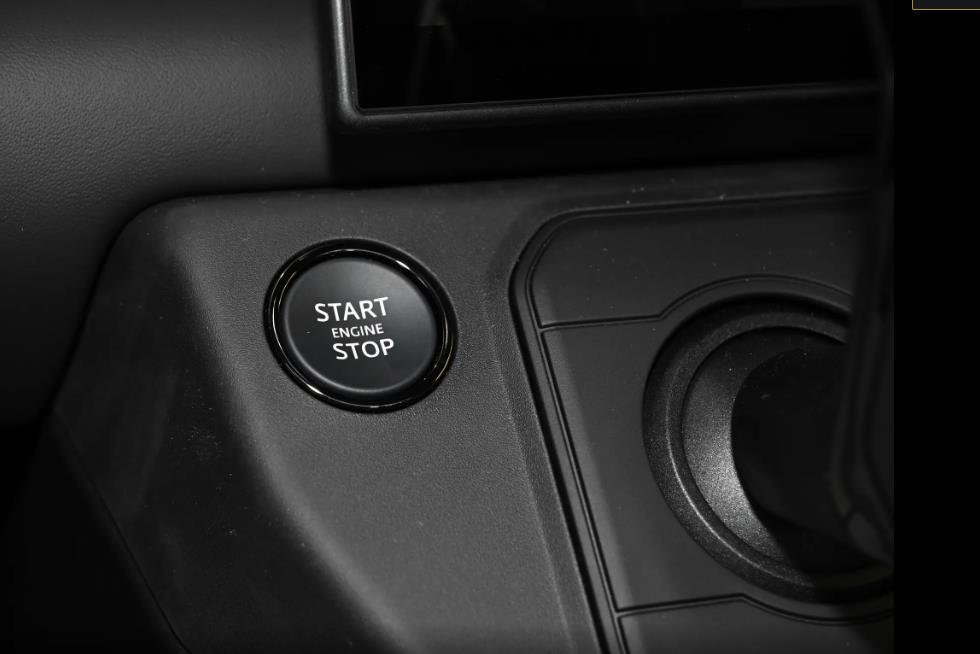


Technical Implementation of JLR Start-Stop Memory via CCF Editing
For professional JLR technicians, mastery of the JLR Engineering Tool (JET) and Car Configuration File (CCF) editing represents the pinnacle of vehicle system customization and customer satisfaction programming. This capability allows precise, software-level modification of vehicle behaviors that are hard-coded at the factory. A highly requested modification that exemplifies this skill is the implementation of a JLR start-stop memory function. This addresses the common customer complaint where the vehicle defaults to having the start-stop system active upon every ignition cycle, requiring the driver to manually disable it each time they drive. This article details the technical procedure for coding this persistent memory function.
Technical Rationale Behind JLR Start-Stop Memory
The standard JLR start-stop system, managed by the Powertrain Control Module (PCM) and Body Control Module (BCM), is designed to activate by default to meet global fuel economy and emissions regulations. There is no factory-setting for the vehicle to retain the driver’s last chosen state (ON or OFF) across drive cycles. The JLR start-stop memory coding modifies this behavior by altering the system’s initialization logic.
CCF Parameters and System Logic
The modification involves locating and changing specific parameters within the CCF of relevant modules, typically the BCM (Body Control Module) and/or the Instrument Cluster (IC). The key parameter is often named “Start/Stop Default Mode“, “Eco Stop/Start Last State Memory“, or similar. By default, this is set to “Active” or “Default_On”. The objective is to change this to “Last State”, “Remember”, or “Inactive_Default”. This instructs the vehicle’s network to read the status of the start-stop disable switch at shutdown and re-apply that status upon the next key cycle, rather than resetting to a pre-defined default.
Hypothetical Step-by-Step Coding Process
Important: This is a generalized technical procedure. Parameter naming and location vary significantly between platforms (e.g., Ingenium I4 vs. V6, Range Rover vs. F-PACE) and model years. Always verify with specific vehicle data.
- Vehicle Preparation: Ensure the vehicle is in a supported state (ignition on, engine off, parking brake applied). Connect a stabilized power supply (>30A) to the battery to prevent voltage drop during module programming.
- Establish Diagnostic Communication: Connect a JLR-compliant DOIP VCI to the OBD-II port. Launch your engineering software (e.g., via TOPIx cloud) and establish a secure diagnostic session with the vehicle.
- Backup Original Configuration: Before any changes, navigate to the CCF editing function (JET). Perform a full read and save of the original CCF for the primary target module (usually the BCM). This backup is critical for recovery.
- Locate Target Parameter: Within the BCM’s CCF tree, browse to sections related to “Powertrain,” “Energy Management,” or “Eco Function.” Search for the start-stop memory or default state parameter.
- Modify and Write: Change the parameter value from its default (e.g., “Active”) to the desired memory state (e.g., “Last_State_Memory” or “Inactive”). Carefully write the modified CCF block back to the BCM. The tool will compile and transfer the data.
- Secondary Module Coding (if required): On some architectures, a complementary change may be needed in the Instrument Cluster or Central Configuration Manager to ensure consistent HMI messaging. Repeat the backup, locate, and modify process for this module.
- Validation and Test: Perform a module reset/reboot via the diagnostic tool. Cycle the ignition off and on. Test the function: disable the start-stop system using the button, turn the vehicle off and lock it. Wait 2 minutes, restart the vehicle. The start-stop warning light should remain illuminated, indicating the system is in the remembered (disabled) state.
Essential Tools and Hardware Requirements
This procedure requires professional, vehicle-network-aware equipment.
- Genuine or Fully Compatible DOIP VCI: Modern JLR vehicles use Diagnostics over Internet Protocol (DOIP) for critical module communication. A compliant interface is mandatory for establishing the secure session needed for CCF writing.
- Stabilized Automotive Power Supply: A 30-40A power supply is non-negotiable to maintain network voltage stability during the CCF write process, preventing a catastrophic module brick.
- Engineering Software Access: Valid licenses for JLR’s engineering-level diagnostic software (accessed via TOPIx cloud) or an advanced third-party suite with proven, platform-specific CCF editing capabilities.
- Accurate Vehicle Data: Precise CCF mapping for the specific VIN is essential. For technicians seeking a pre-configured, plug-and-play hardware solution that simplifies this and other codings, consider the dedicated device available at TOPIX Cloud – JLR Start-Stop Memory.
Common Challenges and Diagnostic Solutions
Error: “Parameter Out of Range” or Write Failure
This often indicates an incorrect parameter value for the specific software level of the module. Cross-reference the exact hexadecimal or string values accepted by your vehicle’s software. An unstable power supply or poor connection via the VCI can also cause write failures. Always ensure solid connections.
Coding Accepted but Function Not Operational
This typically points to an incomplete coding set. The start-stop system involves multiple modules (BCM, PCM, IC). Verify if coding is required in additional modules. Also, check for any active fault codes related to the start-stop system (e.g., battery sensor, hood switch) which will inhibit system function regardless of coding.
System Becomes Unpredictable
If the system behaves erratically post-coding, it is likely the wrong parameter was altered. Immediately restore the original CCF backup to revert to the factory state. Re-evaluate the correct parameter location with updated vehicle data.
FAQ: JLR Start-Stop Memory Coding
Is disabling or modifying the start-stop system legal?
This coding does not “disable” the system; it enables a memory function. The system remains fully operational and can be re-enabled by the driver via the button. However, any modification that could affect emissions compliance is the responsibility of the vehicle owner/technician to ensure it aligns with local regulations.
Will this coding cause fault codes or affect the vehicle warranty?
If performed correctly, it should not store fault codes. However, any non-factory CCF modification can be detected by JLR’s diagnostic systems during warranty scans, potentially affecting related system claims. Professional discretion is advised.
Can this be done on all JLR models?
Most JLR models with a start-stop system from approximately 2013 onward are candidates, but the feasibility depends entirely on the software architecture of the specific model year and platform. Some early or very simple systems may not have a configurable parameter for this function.
Conclusion
Implementing a JLR start-stop memory function is a prime example of applied CCF editing expertise, addressing a frequent customer preference through software configuration. The process demands precision, the correct professional tools—a compliant DOIP VCI, stable power, and accurate engineering software—and a rigorous methodology centered on creating and verifying backups. Successfully enabling this feature enhances customer satisfaction and demonstrates a high level of technical competency in JLR diagnostic programming.
For technicians and workshops engaged in advanced JLR OEM retrofits and complex coding tasks, leveraging reliable tools and expert support is essential. For comprehensive solutions and professional resources, visit jlrupgrades.com.