
The Problem With Official Dealer Access
JLR moved to DOIP (Diagnostic Over Internet Protocol) starting in 2017. That means old J2534 cables won't cut it on newer Range Rovers, Defenders, F-PACEs, or Evoques. And the official route? A wall of costs.
What dealer-authorized access actually looks like:
- Approved diagnostic hardware (expensive, locked, proprietary)
- Approved premises and insurance requirements
- Annual TOPIx subscriptions ranging from $8,000 to $15,000+
- Multi-year contracts with strict compliance obligations
For an independent shop, a solo technician, or a serious DIYer, that's not a business model — it's a barrier. Here's the smarter way.
Watch: How It All Works
See the complete setup in action — from cable to cloud, step by step.
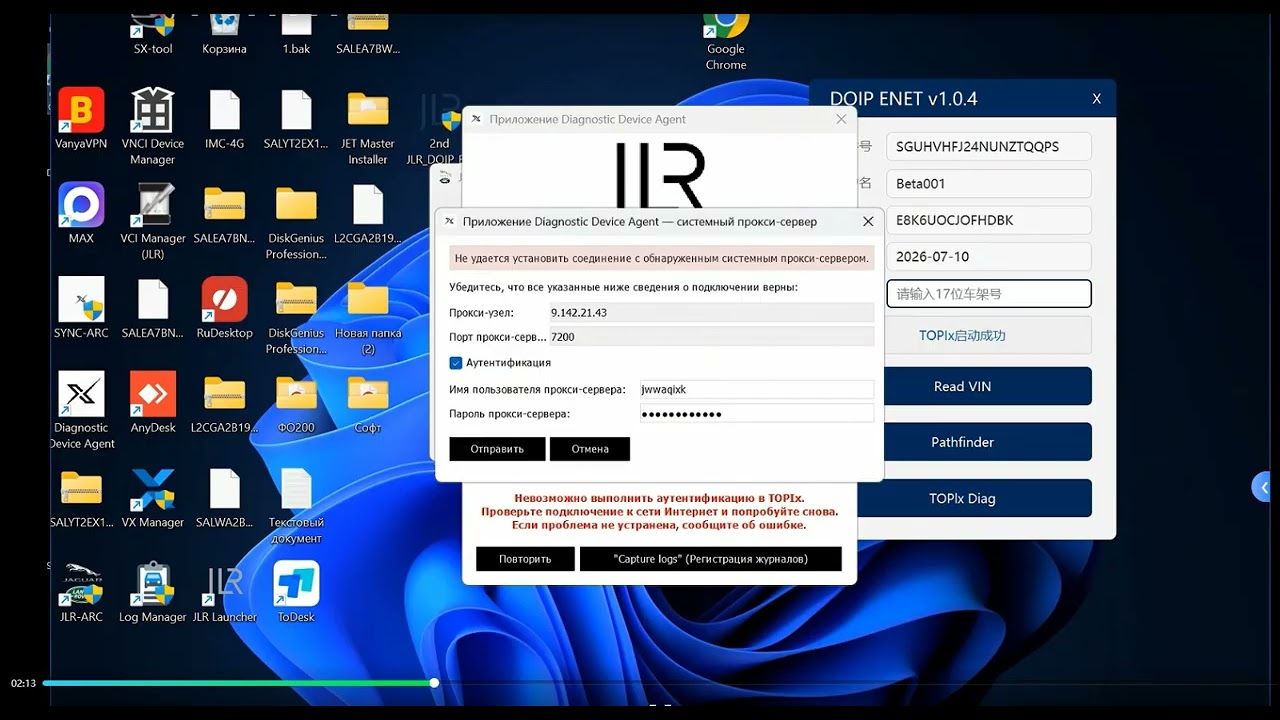
Prefer reading? Scroll down for the full 3-step breakdown with images.
The 3 Things You Need
No hidden extras. No upsells. Just these three components, and you can do full dealer-level diagnostics and programming on modern JLRs.
JLR Enet Cable
The physical bridge between your laptop and the car's OBD port. Handles DOIP communication for all 2017–2026 JLR models.
JLR DOIP Enet Add-on Soft

The bridge software that makes your Enet cable talk to TOPIx Cloud. Includes drivers, configuration files, and step-by-step setup guidance.
TOPIx Cloud Access
Your subscription to JLR's cloud-based diagnostic and programming platform. Pay for what you need — no multi-year dealer contract.
How It Works
Once you have all three components, the workflow is straightforward. No guessing, no hacks — just a clean bridge from your laptop to the JLR cloud.
- Plug the JLR Enet cable into the vehicle's OBD port (2017+ models).
- Connect to your laptop via Ethernet or USB, depending on your cable variant.
- Launch the JLR DOIP Enet Add-on Soft to handle protocol translation and routing.
- Log into TOPIx cloud with your subscription credentials and start a new session.
- Select the vehicle by VIN or model year. TOPIx sees your cable as the active diagnostic interface. You're in.
Pro tip: Use a wired Ethernet connection if possible. Keep your laptop plugged in during long programming sessions. Read the setup guide twice — most "it doesn't work" issues come from skipping a step.


Why This Is the Cheapest Way
Let's talk real numbers. For an independent shop doing even a handful of JLR jobs per month, this pays for itself immediately.
Dealer-Authorized Route
- Approved proprietary hardware
- Premises & insurance requirements
- Multi-year contract lock-in
- Annual subscription (before touching any car)
SX-TOOL Route
- JLR Enet cable (~$60–$90)
- One-time add-on software purchase
- Flexible TOPIx cloud subscription
- No contract. No approved premises.
What You Can Do With TOPIx Cloud
This isn't a stripped-down version. It's full dealer-level capability on every 2017–2026 Jaguar and Land Rover model that uses DOIP.
Frequently Asked Questions
Will this work on my 2019 Range Rover Sport?
Yes. This setup covers all Jaguar and Land Rover models from 2017 to 2026 that use DOIP communication. That includes Range Rover, Range Rover Sport, Velar, Evoque, Defender, Discovery, Jaguar F-PACE, XE, XF, F-TYPE, and I-PACE.
Is this a cracked or hacked tool?
No. This is a legitimate bridge solution. You still purchase your own TOPIx cloud subscription. The add-on software simply enables affordable, non-proprietary Enet hardware to communicate with JLR's cloud platform — replacing the need for expensive dealer-locked diagnostic equipment.
Do I need a dealer contract or approved premises?
No. That's the entire point of this solution. You subscribe to TOPIx cloud on your own terms, use your own laptop, and use standard Enet hardware. No premises inspection, no insurance requirements, no multi-year lock-in.
How long does setup take?
Most users are up and running in 15–20 minutes. The add-on software includes a detailed setup guide. If you've ever installed a J2534 driver before, this is simpler. If you get stuck, SX-TOOL support can walk you through it.
Can I use a Wi-Fi Enet adapter instead of wired?
Some Wi-Fi variants exist, but for stability — especially during long programming flashes — we strongly recommend a wired Ethernet connection. A dropped connection mid-flash can brick a module.
What happens if I get stuck during setup?
SX-TOOL provides support for all customers who purchase the add-on software or TOPIx access. They've walked hundreds of technicians through this exact setup. You're not on your own.