Complete TOPIx Cloud Diagnostics Guide: Systems, Capabilities & Limitations
Topix cloud diagnostics gives independent workshops, mobile technicians, and locksmiths dealer-level diagnostic capability for Jaguar and Land Rover vehicles. A generic scan tool reads OBD-II codes, but it will not tell you why a JLR BCM is refusing to communicate, or why adaptive cruise control requires recalibration after a windscreen replacement. JLR diagnostic tool access through TOPIx Cloud provides dealer-level DTC reading, live data streaming, guided fault finding, module programming, and calibration routines.
Get TOPIx Cloud diagnostic access from £79 — our 24-hour Starter plan gives you full access for a single day. View all subscription options here.
What Is TOPIx Cloud Diagnostics?
How TOPIx Cloud diagnostics differs from SDD and Pathfinder
TOPIx Cloud is JLR's current-generation cloud-based diagnostic platform. It replaces SDD for 2017+ vehicles and supersedes Pathfinder for 2022+ models. While SDD was a locally installed Windows application, topix cloud diagnostics operates entirely through a browser. Vehicle data, diagnostic trees, and programming files live on JLR's servers and stream to your laptop in real time.
This matters for three reasons. First, you are always working with the latest data. Second, TOPIx Cloud uses DoIP (Diagnostics over Internet Protocol) at 100 Mbps over Ethernet — roughly 200 times faster than the CAN bus used by SDD. Programming a BCM on a 2023 Range Rover takes minutes instead of hours. Third, guided fault finding and live data are integrated in a single interface.
For pre-2017 vehicles, SDD remains the correct tool. For 2022 onwards, JLR diagnostics are exclusively through TOPIx Cloud.
The technology behind TOPIx Cloud diagnostics (DoIP, cloud servers, real-time data)
DoIP (Diagnostics over Internet Protocol) runs over Ethernet at 100 Mbps. The OBD-II port on modern JLR vehicles contains Ethernet pins alongside traditional CAN pins. When your VCI connects to a 2022+ vehicle, it negotiates an IP address with the vehicle's gateway module and establishes a TCP connection, allowing massive firmware transfers in minutes and real-time live data from multiple modules simultaneously.
Cloud servers host every workshop manual, wiring diagram, TSB, DTC definition, and guided fault finding tree for every vehicle model. When you select a vehicle in TOPIx Cloud, the platform queries the cloud for the exact model-year-specific dataset.
Real-time data streaming means live data flows from the vehicle, through your VCI, through the Diagnostic Device Agent (DDA), through your browser, and onto JLR's cloud servers simultaneously. The platform can correlate live data against known good values and suggest diagnostic steps.
What vehicle years and models are covered
Topix cloud diagnostics covers all JLR vehicles from 2017 onwards, with full functionality mandatory from 2022. The platform supports:
- Range Rover L460 (2022+), Range Rover Sport L461 (2023+), Range Rover Velar L560 (2017+), Range Rover Evoque L551 (2019+)
- Discovery L462 (2017+), Discovery Sport L461 (2019+), Defender L663 (2020+)
- I-Pace X590 (2018+)
- Jaguar F-Pace X761 (2016+), Jaguar E-Pace X540 (2018+), Jaguar XE X760 (2015+), Jaguar XF X260 (2015+), Jaguar F-Type X152 (2013+)
Pre-2017 vehicles require SDD. Some 2017-2021 vehicles may have limited TOPIx Cloud functionality. If you are unsure, our VCI compatibility guide includes a year-by-year breakdown.
What you need to get started (subscription, VCI, compatible PC)
To run topix cloud diagnostics, you need three things: an active subscription, a compatible VCI, and a suitable PC.
Subscription: At topix-cloud.com, we offer plans from £99 for 24 hours up to £1599 per month. Every paid plan includes full diagnostic access. Compare plans on our pricing page.
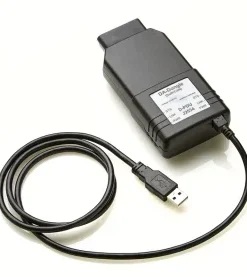
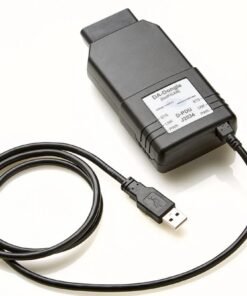
VCI: A Vehicle Communication Interface is mandatory. For modern DoIP vehicles, you need a DoIP-capable VCI such as the JLR DoIP VCI (Bosch), DA-DoIP VCI, or TopDon RLink X7. The VNCI JLR DoIP is a budget option for basic diagnostics but not recommended for programming. See our VCI compatibility guide for full details.
PC: You need a Windows 10 or 11 PC with Chrome or Edge, USB ports for the VCI, and a stable internet connection. A Mac will not work for vehicle communication, though you can browse documentation.
Start diagnosing — subscribe from £799/month. Our Professional Monthly plan includes unlimited TOPIx Cloud access, SDD Online, one VCI licence, and live chat support from JLR specialists. Get started here.
System-by-System Diagnostic Capabilities
Engine Management (ECM diagnostics, DTCs, live data, adaptations)
The Engine Control Module (ECM) is the heart of JLR diagnostics. TOPIx Cloud gives you full access to all ECM functions including DTC reading, live data monitoring, and adaptation resets. You can read powertrain DTCs (P0xxx, P1xxx series), view freeze frame data, and access the full diagnostic tree for each code.
Live data from the ECM includes: engine RPM, coolant temperature (target 90-105°C on warm idle), fuel trim values (±5% at idle), mass airflow (MAF), manifold absolute pressure (MAP), throttle position, injection timing, and glow plug status on diesel models. You can also monitor DPF regeneration status, soot load, and ash accumulation.
Adaptations include throttle body relearn, injector calibration, and idle speed learning. After certain repairs, these must be reset through TOPIx Cloud. Generic scan tools cannot perform these functions on JLR vehicles.
Transmission & Driveline (TCM, differential, transfer box)
The Transmission Control Module (TCM) manages the ZF 8HP automatic gearbox, the twin-clutch transmission on certain models, and the transfer box on 4WD vehicles. Topix cloud diagnostics gives you full TCM access including gear adaptation values, clutch fill times, and torque converter lockup status.
Common diagnostic functions include: reading transmission DTCs (P07xx series), monitoring gear position and fluid temperature (ZF 8HP typically runs 80-95°C under normal driving), viewing shift adaptation counters, and running clutch bleed routines after transmission service. The transfer box on 4WD models can be diagnosed for actuator position, oil temperature, and engagement status.
For the 2020+ Defender L663, TOPIx Cloud provides specific routines for transfer box calibration after replacement or oil change — not available on aftermarket scan tools.
Electrical Systems (battery, charging, BMS, power distribution)
Modern JLR vehicles have complex electrical architectures. The Battery Management System (BMS) monitors battery state of health, state of charge, and charge acceptance. Topix cloud diagnostics can read BMS DTCs, view battery health percentage (below 75% indicates replacement need), monitor charging voltage, and track quiescent current (sleep drain).
Power distribution is managed by multiple Body Control Modules (BCMs) and the Power Distribution Module (PDM). TOPIx Cloud allows you to read DTCs from every BCM, check fuse status electronically on some models, and monitor voltage at specific distribution points. The platform also provides the quiescent current drain test procedure — essential for diagnosing battery drain faults, one of the most common issues on modern JLR vehicles.
For the I-Pace X590, diagnostics extend to the high-voltage junction box, the DC-DC converter, and the 12V auxiliary battery charger. TOPIx Cloud provides isolation fault diagnostics and high-voltage interlock loop testing, though only qualified technicians should perform these tests.
Body & Chassis (suspension, ABS, ESP, steering)
The chassis systems on JLR vehicles include air suspension (on Range Rover and Discovery models), ABS, ESP, electric power steering, and electronic park brake. Topix cloud diagnostics provides full access to these modules.
For air suspension, you can read ride height sensor values, compressor run time, valve block status, and leak test results. The diagnostic routine includes a functional test that raises and lowers the vehicle while monitoring sensor response. After suspension component replacement, a calibration routine is required — only available through TOPIx Cloud or equivalent JLR tooling.
ABS and ESP diagnostics include wheel speed sensor readings, yaw rate sensor values, brake pedal position, and hydraulic modulator pressure. You can also run ABS bleed routines after brake fluid service, which is critical for vehicles with electronic parking brakes.
Electric power steering diagnostics include torque sensor values, motor current, and steering angle. The steering angle sensor must be calibrated after any work that disturbs steering geometry — TOPIx Cloud provides this calibration routine.
HVAC (climate control, heating, ventilation)
The HVAC system on JLR vehicles is controlled by the HVAC module with input from multiple temperature sensors, pressure transducers, and blend flap motors. Topix cloud diagnostics allows you to read HVAC DTCs, monitor evaporator temperature, refrigerant pressure, cabin temperature sensor values, and blend flap position.
Diagnostic functions include actuator tests for the blend flaps, blower motor speed verification, and compressor clutch engagement on combustion models. For the I-Pace X590, the HVAC system includes the electric heater and heat pump, with their own diagnostic routines and DTCs.
Infotainment & Navigation (ICM, touchscreens, audio modules)
The Infotainment and Connectivity Module (ICM) and the InControl Touch Pro system are common sources of customer complaints. TOPIx Cloud provides diagnostics for the ICM, touchscreen controllers, audio amplifiers, and satellite navigation modules.
Diagnostic functions include: reading ICM DTCs, checking software versions, monitoring MOST bus communication status on older models, and running module reset routines. For the latest Pivi Pro systems, TOPIx Cloud can check for software updates, verify module configuration, and run the touchscreen calibration routine.
Audio system diagnostics include amplifier status, speaker channel detection, and noise cancellation system verification. ICM diagnostic data often reveals communication bus errors or software version mismatches between modules when a customer reports intermittent audio loss or navigation freezing.
Advanced Driver Assistance Systems (ADAS, ACC, lane keep, parking)
ADAS is one of the most complex areas of modern JLR diagnostics. TOPIx Cloud provides comprehensive access to every ADAS module: Adaptive Cruise Control (ACC), Lane Keep Assist, Blind Spot Monitoring, Autonomous Emergency Braking, Traffic Sign Recognition, and the 360° camera system.
For ACC, you can read radar module DTCs, check target detection status, and monitor radar alignment values. After a front bumper or windscreen replacement, the ACC radar requires calibration — TOPIx Cloud provides the calibration procedure and target specifications. This is a critical revenue stream for independent workshops.
Lane Keep Assist and Traffic Sign Recognition use the forward-facing camera mounted behind the windscreen. TOPIx Cloud allows you to read camera DTCs, check calibration status, and run the recalibration routine after windscreen replacement. The camera calibration requires specific targets and precise positioning — TOPIx Cloud provides the exact measurements and tolerances.
Parking system diagnostics include ultrasonic sensor status, parking aid module DTCs, and the Park Assist module. For the latest models with automated parking, TOPIx Cloud provides the system status and calibration routines.
For more on ADAS procedures, see our ADAS calibration guide.
Security & Immobiliser (BCM, KVM, keyless entry, alarm)
Security and immobiliser diagnostics are where topix cloud diagnostics shows its dealer-level capability. The Body Control Module (BCM), Keyless Vehicle Module (KVM), and immobiliser system are fully accessible.
Diagnostic functions include: reading BCM and KVM DTCs, monitoring key fob signal strength, checking immobiliser status, and viewing the security handshake between the key and the vehicle. TOPIx Cloud can also run the key programming procedure, though this requires an LSID (Licenced Security ID) from JLR's Trust Center. Without LSID, you can read the procedure but cannot execute it.
The alarm system diagnostics include zone status (door, bonnet, tailgate, interior), tilt sensor values, and alarm trigger history. If a customer has a recurring false alarm, the trigger history reveals which zone caused it and at what time — invaluable for diagnosing intermittent faults.
Keyless entry diagnostics include antenna status, fob battery level, and passive entry zone detection. If a customer reports that passive entry works on one side but not the other, the antenna diagnostic data will pinpoint the failed antenna.
Electric Vehicle Systems (I-Pace X590, battery management, motor control)
The I-Pace X590 is JLR's first fully electric vehicle and requires a specific diagnostic approach. Topix cloud diagnostics provides access to the High Voltage Battery Management System (BMS), the Electric Drive Module (EDM), the On-Board Charger (OBC), and the thermal management system.
BMS diagnostics include: cell voltage readings, module temperature, state of charge accuracy, state of health estimation, and insulation resistance. The BMS DTCs are specific to high-voltage systems and include codes for cell imbalance, overvoltage, undervoltage, and thermal runaway detection. Some DTCs are informational only; others require immediate vehicle shutdown.
The EDM diagnostics include motor speed, torque output, inverter temperature, and resolver position. The OBC diagnostics include AC input voltage, charging current, DC output voltage, and charge port status. TOPIx Cloud also provides the high-voltage system de-energisation procedure, mandatory before any work on the high-voltage system.
For more detail on EV diagnostics, see our EV diagnostics guide.
How to Run Diagnostics Using TOPIx Cloud
Step 1 — Log in to TOPIx Cloud and select your vehicle
Log in to TOPIx Cloud through the Independent Operator portal. Ensure your subscription is active, your VCI is connected, and the Diagnostic Device Agent (DDA) is running. Select "New Session" and choose your vehicle by VIN scan, manual entry, or dropdown. The VIN scan is the most reliable as it ensures you are working with the exact vehicle configuration.
Step 2 — Navigate to the Diagnostics section
Click the "Diagnostics" tab. The left-hand panel shows the vehicle topology — a tree view of all modules. At the top, you will see tabs for DTCs, Live Data, Guided Fault Finding, and Programming. The system may take 30-60 seconds to load the full topology on a modern vehicle with 30+ modules.
Step 3 — Read all modules (DTC scan)
Click "Read All DTCs" to initiate a full vehicle scan. The platform polls every module on every communication bus (CAN, DoIP, LIN, MOST) and reports back all stored and active DTCs. This process takes 2-5 minutes on a modern DoIP vehicle. Results are displayed in a colour-coded list: red for active, amber for stored, and grey for historical. Each entry shows the module name, DTC code, description, and status.
Step 4 — Interpret DTC codes (understanding severity, fault type, freeze frame)
Click any DTC to view its full definition, diagnostic tree, possible causes, and recommended tests. Critical faults (engine misfire, airbag, brake system) are flagged with a warning symbol. Informational faults may not require immediate action.
Freeze frame data is crucial for intermittent faults. When a DTC sets, the ECM records a snapshot of parameters at that moment — RPM, coolant temperature, vehicle speed, and load. Comparing this to normal values reveals whether the fault occurred under specific conditions.
For a full DTC reference, see our DTC lookup page.
Step 5 — Access live data streams (what to look for, normal values, abnormal patterns)
Click the "Live Data" tab and select the module. You can select up to 20 parameters simultaneously depending on the module and bus speed. Values update in real time. Click "Record" to log data for later analysis.
For engine diagnostics, typical normal values at warm idle include: coolant temperature 90-105°C, engine speed 650-750 rpm, fuel trim ±5%, and MAF 2-4 g/s on a 2.0L petrol engine. The platform highlights out-of-range values in red.
Step 6 — Run guided fault finding procedures
Guided Fault Finding (GFF) is where TOPIx Cloud distinguishes itself from aftermarket scan tools. When you select a DTC, the platform may offer a "Guided Fault Finding" button. This launches a step-by-step wizard written by JLR engineers. The wizard asks you to perform specific tests, input the results, and directs you to the next step based on your answers.
GFF procedures may include voltage checks, resistance measurements, actuator tests, or functional checks. The procedure tells you exactly which pins to probe, what values to expect, and what to do if the value is out of range. Follow GFF methodically — skipping steps leads to incorrect conclusions.
Step 7 — Clear DTCs and verify repair (when safe to clear, when to retest)
After completing repairs, select "Clear DTCs." Only clear codes after the repair is complete — clearing before destroys freeze frame data. Some DTCs require a specific drive cycle to clear; the platform will inform you if this is the case.
After clearing, run a full module scan again to confirm no codes return. Then perform a road test that matches the freeze frame conditions. If the DTC does not return after three drive cycles, the repair is verified.
Step 8 — Save diagnostic reports for customer records
Click "Save Report" to generate a PDF containing the vehicle details, all DTCs, live data snapshots, and any completed guided fault finding procedures. This report is invaluable for customer records, warranty claims, and dispute resolution. We recommend saving a report before and after every repair.
DTC Interpretation Guide
How JLR DTC codes are structured (P0, P1, B, C, U codes)
JLR uses standard OBD-II DTC formats with manufacturer-specific extensions following the SAE J2012 standard:
- P0xxx — Powertrain, generic (SAE-defined)
- P1xxx — Powertrain, manufacturer-specific (JLR-defined)
- B0xxx / B1xxx — Body systems (HVAC, lighting, seats, infotainment)
- C0xxx / C1xxx — Chassis systems (ABS, ESP, suspension, steering)
- U0xxx / U1xxx — Network communication (CAN bus, DoIP, module communication)
The first digit after the letter indicates whether the code is generic (0) or manufacturer-specific (1). The second digit identifies the subsystem. For example, P02xx relates to fuel and air metering, P03xx to misfire detection, and P04xx to auxiliary emissions control.
JLR-specific P1xxx codes often relate to proprietary systems. The P1Axx series on hybrid and electric vehicles relates to the high-voltage system. U1xxx codes frequently indicate communication failures between modules on different buses, common after a module replacement or a flat battery event.
Common JLR engine DTCs and what they mean
P0300-P0308 — Random/multiple cylinder misfire detected. On JLR 2.0L Ingenium petrol engines, this is often caused by carbon-fouled intake valves (direct injection), failing coil packs, or injector imbalance.
P0420 / P0430 — Catalyst efficiency below threshold. On JLR supercharged V6 and V8 engines, this commonly indicates a failing catalytic converter, but can also be caused by an exhaust leak upstream of the catalyst affecting oxygen sensor readings.
P200A — Intake manifold runner performance (Ingenium diesel). The swirl flap actuator fails or the flaps become clogged with carbon. TOPIx Cloud provides a functional test for the actuator.
P2263 — Turbocharger boost system performance (Ingenium diesel). Common causes include a sticking variable geometry turbo actuator, a split boost hose, or a failed intercooler hose on the 2.0L diesel.
P26CB — Engine coolant bypass valve control circuit (Ingenium). The electronically controlled thermostat fails to reach target temperature. On some models, this triggers a reduced power mode.
Common JLR transmission DTCs
P0705 — Transmission range sensor circuit malfunction. On ZF 8HP vehicles, this often indicates water ingress into the selector mechanism or a failed position sensor.
P0730 — Incorrect gear ratio. This points to internal clutch slip. On the ZF 8HP, check the transmission fluid level and condition first. If the fluid is burnt or contaminated, an internal repair is likely needed.
P173A — Transmission mechanical coupling — switch A implausible. Common on the twin-clutch transmission used in certain Evoque and Discovery Sport models. The clutch position sensor requires calibration.
P17F0 — Transmission clutch adaption at limit. The clutch wear compensation has reached the maximum adjustment. This indicates clutch wear and requires transmission inspection.
Common JLR electrical DTCs
B1009 — Battery voltage (general). Often sets after a jump-start or a period of battery drain. Check the battery state of health and the quiescent current.
B12C5 — Battery monitoring system malfunction. The BMS module is reporting inconsistent data. This may require BMS recalibration or battery replacement.
U0001 — High-speed CAN bus. A communication fault on the primary CAN bus. Causes include a failed module pulling the bus low, a wiring fault, or a module that has lost its configuration after a battery disconnect.
U0140 — Lost communication with BCM. Common after a flat battery or module replacement. The BCM may require a configuration reset.
When a DTC is critical vs. informational
Critical DTCs require immediate attention and may trigger a warning message or limp-home mode. These include: any airbag code (B0001-B0999), ABS/ESP codes that disable stability control, engine misfire codes that risk catalyst damage, and any high-voltage isolation fault on an I-Pace.
Informational DTCs may not require repair. These include one-time communication errors during a software update, temporary voltage dips during cranking, and DTCs that set due to a specific driver action (e.g., opening the door during a scan). TOPIx Cloud labels many informational DTCs with a note explaining that no repair is required if the fault is not current.
Using freeze frame data to understand intermittent faults
Freeze frame data is the single most useful tool for diagnosing intermittent faults. When a DTC sets, the recording module captures a snapshot of key parameters. For an intermittent misfire, examine: engine RPM (was it at idle or under load?), coolant temp (cold or warm?), vehicle speed (stationary or moving?), and fuel trim (rich or lean?). If the misfire only occurs at high load with a cold engine, you can focus your testing on ignition components under those specific conditions. Without freeze frame data, you are guessing.
Live Data Streams: What to Monitor
Engine live data (RPM, coolant temp, fuel trims, O2 sensors, MAF)
When diagnosing engine performance, monitor these parameters simultaneously: engine RPM, coolant temperature (ECT), short-term fuel trim (STFT), long-term fuel trim (LTFT), MAF sensor reading, and both upstream O2 sensor voltages. On a warm idle, expect: ECT 90-105°C, STFT and LTFT near 0% (±5% acceptable), MAF 2-4 g/s on a 2.0L petrol, and O2 sensors cycling 0.1-0.9V. If LTFT is +15% or more, the system is compensating for a lean condition — check for vacuum leaks, MAF contamination, or exhaust leaks before the O2 sensor. If LTFT is -15% or more, the system is rich — check fuel pressure, injector leakage, or a contaminated MAF.
Transmission live data (gear position, fluid temp, torque converter lockup)
For transmission diagnostics, monitor: commanded gear, actual gear, transmission fluid temperature, torque converter lockup status, and shift adaptation values. Fluid temperature should be 80-95°C during normal driving. If it climbs above 110°C, check for cooler blockage or restricted flow. Shift adaptation counters show how much the TCM has adjusted clutch fill times. If any counter exceeds the limit (typically 200-300), the clutch is worn or the hydraulic circuit is leaking.
Battery and charging live data (voltage, current, SOC, health)
For electrical diagnostics, monitor: battery voltage (12.4-12.6V with engine off, 14.0-14.8V with engine running), battery current, state of charge (SOC), and state of health (SOH). SOH below 75% indicates replacement need. During a quiescent current test, monitor current draw with all doors closed and the vehicle asleep. Normal draw is below 30mA. If it remains above 50mA, there is a parasitic drain.
ADAS live data (radar status, camera calibration, sensor alignment)
For ADAS diagnostics, monitor: radar target detection status, camera alignment angles, steering angle, and yaw rate. The radar should show "aligned" with no offset errors. Camera alignment values (pitch, yaw, roll) should be within ±0.5 degrees. After any windscreen or bumper work, these values must be checked. If the camera pitch is outside ±1.0 degree, the camera requires recalibration.
How to log live data for analysis
TOPIx Cloud allows you to record live data to a CSV file. Set your sample rate (typically 1-10 Hz depending on the bus), select the parameters, and click "Record." Record for at least 60 seconds during the fault condition. Export the file and open it in Excel or a dedicated data analysis tool. Plotting parameters against time often reveals correlations that are not obvious in real-time viewing — for example, a misfire that correlates with a specific coolant temperature range, or a voltage dip that coincides with a specific module activating.
Vehicle-Specific Diagnostic Examples
Diagnosing a 2023 Defender L663 (example walkthrough)
A 2023 Defender L663 arrives with the MIL illuminated and reduced power. Using topix cloud diagnostics, you run a full DTC scan. The scan reveals P2263 (turbocharger boost system performance) and P0401 (EGR flow insufficient) on the 2.0L diesel Ingenium engine.
The guided fault finding for P2263 shows the boost pressure actuator moves smoothly. The procedure asks you to check the boost hoses for splits. You find a split at the intercooler hose connection to the intake manifold — a common fault on the Defender L663.
Live data shows the EGR valve position command at 0% but feedback at 12% — the valve is stuck partially open from carbon buildup. After cleaning the EGR valve and replacing the split hose, you clear the DTCs and confirm the codes do not return. Total diagnostic time: 45 minutes.
Diagnosing a 2022 Range Rover L460 (example walkthrough)
A 2022 Range Rover L460 presents with a "Suspension Fault" message and the vehicle sitting low at the rear. The full DTC scan reveals C1A20-64 (air spring air supply) and C1A13-1C (height sensor supply voltage) in the air suspension module.
The guided fault finding activates the compressor and monitors pressure decay over 60 seconds. The pressure drops from 18 bar to 12 bar in 30 seconds — a clear leak. Soapy water reveals bubbling at the rear left air spring bellows.
You measure the height sensor supply voltage at 5.1V — within specification — so C1A13-1C is a stored fault. You replace the rear left air spring, clear the DTCs, run the air suspension calibration routine (only available through TOPIx Cloud), and confirm the vehicle returns to normal ride height.
Diagnosing a 2021 Discovery Sport L461 (example walkthrough)
A 2021 Discovery Sport L461 arrives with the adaptive cruise control unavailable and the forward collision warning light on. The DTC scan shows U0100-00 (lost communication with ECM) in the ACC module, and U0121-00 (lost communication with ABS) in the ICM.
Multiple U-codes suggest a communication bus fault rather than individual module failures. Before reaching for the oscilloscope, you check the battery history. The BMS shows a low voltage event three days ago — the battery was discharged to 8.2V. A flat battery event on JLR vehicles often causes multiple modules to lose their communication configurations.
The ECM and ABS both show "Configuration Missing." The procedure recommends running the "Module Network Configuration" routine, which re-learns the module topology. After running the routine, all U-codes clear and the ACC returns to normal function. No parts were required.
Diagnosing a 2020 I-Pace X590 (EV-specific example)
A 2020 I-Pace X590 reports "High Voltage System Fault" and will not charge. The DTC scan reveals P0A0F-00 (high voltage system isolation fault) and P1A01-00 (battery module temperature sensor circuit).
Before proceeding, you verify high-voltage training and appropriate safety equipment. TOPIx Cloud provides the high-voltage de-energisation procedure, which you follow exactly. The isolation fault typically indicates moisture ingress or a damaged high-voltage cable.
The guided procedure asks you to measure insulation resistance between the high-voltage positive and chassis, and between high-voltage negative and chassis. Values should be above 500 MΩ. You measure 2 MΩ on the positive side — a severe insulation breakdown. The source is traced to a damaged charging cable seal that has allowed water into the high-voltage junction box.
After replacing the junction box and drying the affected area, the insulation resistance returns to normal. You clear the DTCs and confirm the vehicle charges normally. This repair required dealer-level access to the high-voltage diagnostics — something no aftermarket scan tool provides.
Honest Limitations of TOPIx Cloud Diagnostics
What TOPIx Cloud CANNOT diagnose (pre-2017 vehicles need SDD, some legacy systems)
Let us be direct: topix cloud diagnostics does not cover everything. Pre-2017 JLR vehicles are not supported. If you need to diagnose a 2015 Discovery Sport or a 2012 Range Rover L322, you need SDD software, not TOPIx Cloud. Even some 2017-2021 transition-era vehicles have limited functionality in TOPIx Cloud and may require Pathfinder for certain programming tasks.
Legacy systems such as the K-Series engine management on early Jaguar X-Types, the Bosch diesel injection on pre-2016 Discovery 4, and the Terrain Response 1 system on early L319 Discovery 3 are not covered. For workshops servicing a wide range of JLR ages, you need both SDD and TOPIx Cloud.
When you need a dealer-level tool beyond TOPIx Cloud
TOPIx Cloud is a dealer-level tool in terms of diagnostic access, but there are scenarios where even it is not enough. If a module has been corrupted during a failed flash and will not communicate at all, you may need JLR's factory recovery tools that are not available to independents. If a vehicle requires a complete reflash of every module (a "blanket flash"), this may need dealer-only equipment. However, these scenarios are rare — for 95% of diagnostic work, TOPIx Cloud is fully sufficient.
Security module limitations (without LSID, some diagnostics are restricted)
Without an LSID (Licenced Security ID) from JLR's Trust Center, you cannot perform key programming, security module replacement, or immobiliser-related diagnostics. TOPIx Cloud shows you the procedure and the DTCs, but the execution of security-critical functions is restricted. LSID accreditation requires a separate application to JLR, including business checks, premises verification, and insurance requirements. We provide accreditation guidance with every paid subscription, but we cannot issue LSIDs ourselves.
Network connectivity requirements (no offline diagnostics)
TOPIx Cloud requires a constant internet connection. There is no offline mode. If your workshop has unreliable internet, you cannot perform diagnostics. The platform streams data from JLR's servers in real time, and a dropped connection during programming can leave a module in an unbootable state. We strongly recommend a wired ethernet connection for all programming work, and a minimum download speed of 10 Mbps.
Physical inspection still required (TOPIx tells you what's wrong, not always why)
This is the most important limitation to understand. Topix cloud diagnostics tells you that the boost pressure is low, or that the EGR valve is stuck, or that the air spring is leaking. It does not tell you why the boost hose split, or why the EGR valve carbonised, or why the air spring failed. The root cause may be a mechanical design weakness, poor maintenance, or a driver habit. TOPIx Cloud is a diagnostic tool, not a crystal ball. Your expertise as a technician is still required to determine the underlying cause and prevent recurrence.
Troubleshooting Diagnostic Issues
"TOPIx Cloud won't read any modules" — VCI, connection, ignition, vehicle sleep
If TOPIx Cloud cannot read any modules: check the VCI LED indicators; ensure the ignition is in the "on" position (on push-button vehicles, press the start button without your foot on the brake); wake the vehicle by opening a door or pressing unlock if it has entered deep sleep; check that DDA is running in the system tray; verify the correct VCI is selected; try a different USB port. If all else fails, disconnect the VCI, wait 30 seconds, reconnect, and restart DDA.
"DTCs present but no symptoms" — stored vs. active, historical codes
A stored DTC means the fault was detected in the past but is not currently active. An active DTC means the fault is present right now. If the customer has no symptoms and the DTCs are stored or historical, the fault may have been a one-time event (e.g., a voltage dip during jump-starting). Clear the codes and advise the customer to return if the warning light returns. If the DTCs are active, the fault is current and requires repair.
"Live data values look wrong" — sensor calibration, reference values, measurement errors
If a sensor reading looks implausible, first check whether the sensor requires calibration. JLR steering angle sensors, yaw rate sensors, and some pressure sensors require calibration after certain repairs. Next, compare the reading to known good values in TOPIx Cloud — the platform shows reference ranges. Finally, verify with a physical multimeter where possible. A MAF sensor reading 150 g/s at idle is obviously wrong, but a fuel trim of +8% might be normal for the specific engine temperature and load.
"Can't clear DTCs" — permanent codes, security restrictions, module failure
Some DTCs are permanent and cannot be cleared until the root cause is fixed. These include catalyst efficiency codes (P0420), misfire codes (P030x), and some EVAP codes (P04xx). The ECM will refuse to clear these until the monitor has run and passed. Security-related DTCs may also refuse to clear without LSID. If a module has failed completely, it may not respond to the clear command. In this case, replace the module first.
"Diagnostic session times out" — network stability, battery voltage, vehicle sleep
Session timeouts are usually caused by network instability, low battery voltage, or the vehicle going to sleep. Ensure your internet connection is stable — use a wired connection if possible. Check battery voltage; if below 12.0V, charge the battery before continuing. To prevent the vehicle from sleeping, keep the driver's door open or press a pedal every few minutes.
"Missing modules in the scan list" — module failure, communication bus issues, VCI incompatibility
If a module is missing from the scan list, first check whether that module is fitted to the vehicle. Not all modules are present on all trim levels. If the module should be present, the cause is usually module failure, a communication bus fault, or a VCI that does not support the module's bus. The VNCI JLR DoIP sometimes fails to detect modules on the LIN bus or secondary CAN bus. Try a different VCI if available.
Stuck on a diagnostic problem? Chat with a JLR specialist — our live chat connects you to a real technician, not a chatbot, in under 2 minutes. Get help now.
FAQ
Q: What vehicles can I diagnose with TOPIx Cloud?
A: Topix cloud diagnostics covers all Jaguar and Land Rover vehicles from 2017 onwards, with full functionality mandatory from 2022. This includes the Range Rover L460, Range Rover Sport L461, Defender L663, Discovery L462, Discovery Sport L461, I-Pace X590, and all Jaguar models from 2015 onwards. Pre-2017 vehicles require SDD.
Q: Can I diagnose pre-2017 JLR vehicles with TOPIx Cloud?
A: No. Pre-2017 vehicles are not supported by TOPIx Cloud. You need the older SDD software for these vehicles. Our Professional Monthly and Ultimate Monthly plans include SDD Online access.
Q: Do I need a dealer-level subscription to read DTCs?
A: No. Every topix cloud subscription includes full DTC reading capability. There are no tiered restrictions. The £99 Starter plan gives you the same DTC access as the £239 Ultimate plan — the difference is duration and additional tools. See pricing here.
Q: Can I clear DTCs with TOPIx Cloud?
A: Yes, for most modules. Some permanent DTCs cannot be cleared until the monitor has run and passed. Some security-related DTCs require LSID. For the vast majority of faults, clearing is straightforward.
Q: What's the difference between stored and active DTCs?
A: An active DTC means the fault is currently present. A stored DTC means the fault was detected in the past but is not currently active. Stored DTCs may not require repair if the fault has not recurred.
Q: Can I diagnose the I-Pace electric vehicle with TOPIx Cloud?
A: Yes. The I-Pace X590 is fully supported, including the high-voltage battery management system, electric drive module, and thermal management. High-voltage diagnostics should only be performed by trained technicians. See our EV diagnostics guide for more.
Q: How accurate is live data in TOPIx Cloud?
A: Live data is sourced directly from the vehicle's modules via the VCI. The values are the same as those seen by JLR dealers. The platform updates in real time and can log data at up to 10 Hz.
Q: Can I save diagnostic reports from TOPIx Cloud?
A: Yes. You can generate and export PDF diagnostic reports containing vehicle information, all DTCs, live data snapshots, and guided fault finding results.
Q: What do I do if TOPIx Cloud can't communicate with a module?
A: First, check whether the module is fitted to the vehicle. Verify the ignition is on and the vehicle is awake. Check for bus communication faults (U-codes) in other modules. Try a different VCI if you suspect compatibility issues. Inspect the module's power and ground.
Q: Can I diagnose ADAS systems with TOPIx Cloud?
A: Yes. TOPIx Cloud provides full access to ADAS modules. You can read DTCs, view live data, and run calibration routines. ADAS calibration requires specific targets and positioning — see our ADAS calibration guide for full details.
Q: How long does a full diagnostic scan take?
A: A full vehicle DTC scan on a modern DoIP vehicle takes 2-5 minutes. Older vehicles may scan in under 2 minutes. Programming sessions vary from 10 minutes for a small module to 45 minutes for a large flash.
Q: Can I diagnose a JLR vehicle remotely using TOPIx Cloud?
A: TOPIx Cloud itself does not provide remote vehicle access. However, if the vehicle has a VCI connected and the workshop PC has remote desktop software, a technician can connect remotely and run TOPIx Cloud as if they were sitting at the workshop. We offer remote coding services using this method.
Q: What if a DTC keeps returning after I clear it?
A: A recurring DTC means the root cause has not been fixed. Use the guided fault finding procedure in TOPIx Cloud to trace the fault systematically. Check freeze frame data to identify the conditions. If the repair appears correct but the DTC returns, check for a software update.
Q: Does TOPIx Cloud show technical bulletins related to DTCs?
A: Yes. When you view a DTC, TOPIx Cloud may display related Technical Bulletins (TSBs) if JLR has issued guidance for that specific fault.
Q: Can I use TOPIx Cloud diagnostics without a VCI?
A: No. A VCI is mandatory for all vehicle communication. Without a VCI, you can browse workshop manuals and TSBs, but you cannot read DTCs, view live data, or perform any diagnostic function. See our VCI compatibility guide for recommendations.
Conclusion
Topix cloud diagnostics is the most powerful diagnostic platform available to independent JLR workshops, mobile technicians, and locksmiths. It provides dealer-level access to every module on 2017+ Jaguar and Land Rover vehicles, including engine management, transmission, electrical systems, body and chassis, HVAC, infotainment, ADAS, security, and electric vehicle systems. With full DTC reading, live data streaming, guided fault finding, and module programming, it eliminates the capability gap between independents and franchise dealers.
This guide has covered the full diagnostic workflow: from logging in and selecting your vehicle, through reading and interpreting DTCs, to accessing live data and running guided procedures. You now know what TOPIx Cloud can do, what it cannot do, and how to use it profitably in your workshop.
Ready to diagnose like a dealer? Get TOPIx Cloud from £79 — full diagnostic access included. Our 24-hour Starter plan is perfect for a one-off job. For regular JLR work, the Professional Monthly plan at £799 gives you unlimited access plus SDD Online and live support. View all plans and get started in under 2 hours.
If you found this guide helpful, you may also want to read:
- TOPIx Cloud Login Guide — step-by-step access to the platform
- VCI Compatibility Guide — ensure your interface works before you buy
- ADAS Calibration Guide — procedures for radar and camera calibration
- EV Diagnostics Guide — high-voltage system diagnostics for the I-Pace
- DTC Lookup Reference — expanded DTC database and interpretation help
- Contact Support — speak to a JLR specialist in under 2 minutes
Last updated: July 2026. Information accurate to JLR TOPIx Cloud as of this date. For the latest portal updates, refer to your JLR account manager or subscription provider.