JLR ADAS Calibration with TOPIx Cloud: Complete Guide
Advanced Driver Assistance Systems (ADAS) are now standard across the entire JLR range, from the Defender L663 to the Range Rover L460. Modern JLR vehicles ship with an average of 12 ADAS features, each relying on precisely calibrated cameras, radar, and ultrasonic modules. Every windscreen replacement, bumper repair, suspension adjustment, or wheel alignment can knock these sensors out of calibration.
For independent workshops and mobile technicians, ADAS calibration is one of the most lucrative service opportunities available, with typical fees from £150 to £500 per procedure and margins above 70%.
TOPIx Cloud is the only authorised diagnostic platform for modern JLR vehicles, providing the full suite of ADAS calibration procedures, coding routines, and diagnostic functions required to bring these systems back to factory specification.
What Is ADAS and Why Does It Need Calibration?
ADAS encompasses electronic systems that assist the driver with perception, decision-making, and vehicle control. These systems rely on windscreen-mounted cameras, bumper-mounted radar sensors, ultrasonic sensors, and control modules that process data in real time. Because they work with millimetre-level accuracy, even a minor shift in sensor orientation can cause false warnings or system deactivation. Calibration restores the reference frame between the sensor and vehicle geometry.
Common ADAS Features in JLR Vehicles
JLR vehicles include Adaptive Cruise Control (ACC) using forward-facing 77GHz radar; Lane Keep Assist and Lane Departure Warning using a windscreen-mounted camera; Blind Spot Assist using rear-side radar; 360° Surround Camera using four cameras requiring geometric alignment; Parking Assist using front and rear ultrasonic sensors; Autonomous Emergency Braking (AEB); Traffic Sign Recognition; and Driver Drowsiness Detection. Newer models add Driver Condition Monitor and Clear Exit Detection.
When Calibration Is Required
Calibration is mandatory after any event that changes a sensor's physical orientation or optical path. Common triggers include windscreen replacement (front camera bonded to glass), bumper removal or replacement (affects ACC radar and parking sensors), control module replacement, wheel alignment changes, and suspension work affecting ride height. JLR's official position requires calibration after windscreen replacement, bumper work affecting sensors, module replacement, suspension or steering work, and collision repair. DTCs such as U2100, U2101, and U3000 series codes indicate calibration requirements.
Static vs. Dynamic Calibration
Static calibration is performed in a workshop using physical targets, alignment boards, and precise measurements on a level surface. It is required for front camera, ACC radar, and 360° camera systems. Dynamic calibration is performed on the road under specific conditions, typically above 25 mph on roads with clear lane markings, allowing the system to learn the reference environment. Lane Keep Assist, Lane Departure Warning, and Traffic Sign Recognition often require dynamic calibration after static procedures. TOPIx Cloud specifies which type each system and vehicle requires.
ADAS Features Covered by TOPIx Cloud
TOPIx Cloud provides calibration routines, diagnostic tests, and configuration coding for all JLR ADAS systems, accessed through the relevant control module under Diagnostics and Calibration menus.
Adaptive Cruise Control (ACC)
ACC uses a forward-facing 77GHz radar behind the lower front bumper. Calibration is always static using a reflective target board positioned at a precise distance from the front bumper, typically 1500–2500mm depending on model, at a specific height relative to the ground. TOPIx Cloud provides exact target specifications and positioning data. The radar is calibrated for horizontal and vertical alignment on a level surface with the vehicle at normal ride height. Required after windscreen replacement, bumper work, or collision repair.
Lane Keep Assist / Lane Departure Warning
These systems use a forward-facing camera behind the windscreen, typically near the rear-view mirror. The camera monitors lane markings and calculates vehicle position. Lane Keep Assist provides steering torque; Lane Departure Warning provides haptic or audible alerts. Calibration involves a static procedure using a target board with a specific pattern, followed by dynamic calibration. The static procedure aligns the camera's optical axis with the vehicle's longitudinal axis. The dynamic drive confirms lane detection. On vehicles with Driver Condition Monitor, the same camera is used and calibration affects both systems.
Blind Spot Assist
Blind Spot Assist uses two 24GHz radar sensors, one in each rear quarter panel behind the bumper cover. Calibration is a static procedure using a corner reflector or dedicated target board positioned at precise angles and distances to the rear of the vehicle. TOPIx Cloud provides specific positioning for each model. Required after rear bumper work or quarter panel repair.
360° Surround Camera
The 360° system uses front, rear, and door mirror cameras. For seamless stitching, each camera must be calibrated for field of view, geometric distortion, and position. Calibration uses a large pattern board with a specific geometric pattern, positioned around the vehicle in sequence: front, rear, left, and right. TOPIx Cloud guides the technician through each step. Required after camera replacement, windscreen replacement, or bumper work disturbing camera mounting.
Parking Assist / Park Assist
Parking Assist uses up to twelve ultrasonic sensors, six front and six rear. Calibration is required when sensors are replaced or bumper work is performed. TOPIx Cloud runs a routine measuring each sensor's range and sensitivity, storing reference values in the control module. Requires a clear space in front of and behind the vehicle with no obstacles within a defined distance.
Autonomous Emergency Braking (AEB)
AEB uses the same forward-facing radar as ACC and, on some models, the forward camera. Calibration is part of the ACC radar and camera procedures. The TOPIx Cloud procedure includes a functional test confirming AEB operates within specification. A test drive at low speed may be required to confirm correct response to simulated obstacles.
Traffic Sign Recognition
Traffic Sign Recognition uses the forward-facing camera to detect road signs and display them in the instrument cluster. Calibration is tied to the camera procedure. After static and dynamic calibration, the system must be exposed to road signs during the dynamic drive to confirm recognition accuracy.
Driver Drowsiness Detection
Driver Drowsiness Detection monitors driver behaviour through the steering angle sensor, vehicle dynamics, and on some models a driver-facing camera. Models with a driver-facing camera require camera calibration as part of the forward camera procedure in TOPIx Cloud.
Equipment Required for JLR ADAS Calibration
TOPIx Cloud Subscription
An active TOPIx Cloud subscription is the absolute prerequisite. The Standard Monthly at £99 provides basic diagnostic access but not the full calibration suite. The Ultimate Monthly at £1599 includes all calibration routines, coding functions, and module programming. TOPIx Cloud runs in a web browser and requires a stable internet connection.
JLR DoIP VCI (Bosch Recommended for ADAS)
A JLR-compatible DoIP VCI is essential. The Bosch KTS or approved JLR VCI is recommended. Modern JLR vehicles use the DoIP protocol for high-speed communication with ADAS modules. Generic OBD-II scanners do not provide the protocol support or module access required.
Calibration Targets
Each system requires a specific target: a reflective target board for ACC radar; a patterned target board for front camera; a large pattern board for 360° camera; and a corner reflector for blind spot radar. JLR-specific targets are recommended for accuracy. Targets must be kept clean, undamaged, and stored flat.
Wheel Alignment (Pre-Requisite for Many Calibrations)
Wheel alignment is a pre-requisite for most ADAS calibrations. Thrust angle, camber, caster, and toe must be within factory specification before camera or radar calibration. TOPIx Cloud prompts confirmation that alignment has been performed and verified. Invest in a modern alignment system measuring all parameters to JLR specifications.
Level Floor and Proper Lighting
Static calibration requires a perfectly level floor. Many workshops use a dedicated ADAS calibration bay. Lighting must be consistent and diffuse, with no direct sunlight or strong shadows on targets. Infrared or LED lighting is preferred. TOPIx Cloud may include a lighting check step.
Measuring Tools and Tape
Precise measurement is essential. A laser measure or high-quality tape measure positions the target at exact distance. A measuring tape sets target height relative to ground and sensor. A spirit level confirms target verticality and vehicle level. Accuracy to the millimetre is necessary.
Step-by-Step ADAS Calibration Using TOPIx Cloud
Pre-Calibration Checks
Connect the VCI to the OBD port and laptop. Verify battery voltage above 12.5V; connect a battery support unit if necessary. Confirm vehicle is on a level surface with tyres at correct pressure. Verify wheel alignment within specification. Inspect all sensors and cameras for damage, dirt, or obstruction. Clean windscreen, camera lenses, and radar covers. Clear any existing DTCs. Ensure adequate lighting and required targets are on hand and in good condition.
Accessing ADAS Calibration in TOPIx Cloud
Log in to TOPIx Cloud and select the Diagnostics module. Enter the VIN to identify the exact model, year, and ADAS specification. Navigate to the relevant control module: Adaptive Cruise Control module for ACC and AEB; Image Processing Module (IPMA) or Driver Assistance Module for lane systems; Camera Control Module for 360° camera. Select the Calibration or Configuration routine. TOPIx Cloud displays the specific procedure for the identified vehicle.
ACC Calibration Procedure (Static Target Method)
Position the vehicle on a level floor. Measure the distance from the front bumper to the calibration point as specified by TOPIx Cloud, typically 2000–2500mm. Place the radar target at this distance, centred on the vehicle's longitudinal axis. Set target height to the specified dimension, measured from floor to target centre. Ensure the target is vertical and stable. In TOPIx Cloud, select the ACC calibration routine and follow prompts. The system sends calibration commands to the radar module, which measures the return signal and stores reference alignment. Takes 5–10 minutes. Do not move the vehicle or target during calibration.
Lane Keep Assist Camera Calibration (Dynamic or Static)
Start with static calibration. Position the camera target board at the specified distance, typically 1000–1500mm, at the specified height relative to the camera. Centre on the vehicle's longitudinal axis. Follow TOPIx Cloud prompts to initiate static calibration. The camera captures the target pattern and the module calculates alignment parameters. After successful static calibration, the system prompts for dynamic calibration. Drive on a road with clear, continuous lane markings above 25 mph. The dashboard may display a calibration-in-progress message. Typically requires 5–15 minutes of driving. Completion is confirmed by DTC-free status and an instrument cluster message.
360° Camera Calibration (Pattern Board Method)
Position the vehicle in the centre of the calibration space. Place the large pattern board at the front, then follow TOPIx Cloud prompts to initiate front camera calibration. Move the board to the rear, then left, then right, calibrating each camera in sequence. Each position must be at the exact distance and angle specified. The board must be vertical and stable. After all four cameras are calibrated, the system performs a stitching test. Takes 20–30 minutes. Some systems require a short test drive to confirm bird's-eye view accuracy.
Parking Sensor Calibration
Ensure the area around the vehicle is clear of obstacles within the defined distance, typically 2 metres. Select the Parking Assist module in TOPIx Cloud and choose the calibration routine. The system activates each sensor in sequence, measuring return signal from clear space, and stores calibration values. Takes 5–10 minutes. After calibration, test by approaching an obstacle and confirming distance readings and audible warning function correctly.
Post-Calibration Verification and Road Test
After calibration, read all ADAS-related modules for DTCs and confirm no calibration-related codes remain. Perform functional tests: ACC at safe following distance; Lane Keep Assist for lane marking detection; 360° camera for stitching errors; Parking Assist for sensor accuracy. Road test for at least 15 minutes covering various road types and speeds. Address any remaining DTCs before returning the vehicle to the customer.
Saving Calibration Report in TOPIx Cloud
TOPIx Cloud allows saving and printing calibration reports. After each routine, export the report for the vehicle's service record. Include date, technician name, VIN, systems calibrated, DTC status before and after, and completion confirmation. The report is valuable for warranty, insurance, and customer documentation, and protects the workshop against liability claims.
Vehicle-Specific ADAS Calibration Notes
Defender L663
The Defender L663 includes ACC, Lane Keep Assist, Blind Spot Assist, 360° Camera, Clear Exit Detection, and Traffic Sign Recognition. The front camera is particularly sensitive to windscreen replacement. The ACC radar behind the lower front bumper is vulnerable to off-road damage. The 360° system includes a front camera in the grille and rear camera above the number plate. The Defender's higher ride height means target height measurements must be adjusted. TOPIx Cloud provides Defender-specific routines accounting for the vehicle's unique geometry.
Range Rover L460
The L460 features advanced ACC with stop-and-go, Lane Keep Assist with steering assist, and high-resolution 360° camera. The front camera module is integrated with the rear-view mirror assembly and is sensitive to alignment. The ACC radar requires a specific target board that may differ from earlier models. The Driver Condition Monitor uses a dedicated driver-facing camera requiring calibration when the interior mirror or windscreen is replaced. The L460's air suspension must be at normal ride height before calibration.
Range Rover Sport L461
The L461 shares ADAS components with the L460 but has different sensor positioning due to sportier body styling. The front bumper and grille design affect ACC radar mounting and target distance. Different ADAS packages are available, so exact requirements depend on vehicle specification. TOPIx Cloud identifies correct routines based on VIN.
Discovery L462
The Discovery L462 has a robust ADAS suite optimised for family and utility use. The ACC radar and camera are similar to the Range Rover but mounted in a different front bumper assembly. The 360° camera system is important for off-road and towing capabilities. Calibration requires the full pattern board procedure. Rear blind spot radars are behind rear bumper covers and require calibration after rear bodywork. The height-adjustable air suspension must be set to standard height before calibration.
I-Pace X590
The I-Pace X590 has a unique ADAS configuration using different forward camera and radar due to the EV-specific platform. Additional features include Adaptive Surface Response and low-speed manoeuvring aids. The high-voltage system requires standard EV safety protocols. The battery cooling system can run during calibration, so a battery support unit is less critical, but stable voltage remains important. TOPIx Cloud provides EV-specific routines, and target specifications may differ from internal combustion models.
Common ADAS Calibration Issues
Calibration Target Not Detected
The most common failure is caused by incorrect positioning. Double-check distance, height, and lateral centre. The target must align precisely with the vehicle's longitudinal axis. Lighting issues are another common cause; direct sunlight, shadows, or uneven lighting prevent camera detection. Move to a shaded area or use controlled lighting. The target must be clean, undamaged, perfectly vertical, and stable. Any vibration or movement during calibration causes failure.
Calibration Failed
A general failure message indicates the system is not within acceptable tolerance. The most common cause is wheel alignment out of specification. Always perform and verify alignment before ADAS calibration. Incorrect module coding after replacement also causes failure; read module configuration and compare to vehicle build data. The vehicle must be at normal ride height. Ensure battery voltage is stable; voltage drop causes calibration errors.
ACC Radar Misaligned After Windscreen Replacement
ACC radar misalignment after windscreen replacement is common because the ACC radar is behind the lower front bumper, but the forward camera is behind the windscreen. On many JLR vehicles, the ACC system uses both radar and camera data. If the camera is misaligned after windscreen replacement, ACC may appear to function incorrectly even if the radar is calibrated. Always calibrate both camera and radar after windscreen replacement. If ACC still functions incorrectly, check that the windscreen is the correct optical specification. Non-genuine or aftermarket windscreens may not have the optical clarity or curvature required, causing persistent misalignment.
Camera Calibration Fails Repeatedly
Repeated failure after windscreen replacement is usually caused by an incorrect windscreen. JLR specifies an optical quality standard for the camera's field of view. Aftermarket windscreens may have optical distortion, tint bands, or coating that interferes with the camera. Check the replacement windscreen part number against JLR specification. If correct, check the camera mounting bracket. It must be bonded to the windscreen at the correct position and angle. Any movement during bonding causes calibration failure, and the windscreen may need replacement again.
Module Not Responding During Calibration
If a module does not respond, check the VCI connection. Ensure the VCI is securely connected and indicator lights show a stable connection. Verify VCI compatibility with the vehicle's protocol; older VCIs may not support DoIP required for modern JLR modules. Battery voltage is critical; if below 12.0V during calibration, modules may shut down. Use a battery support unit. Check for network communication faults in the vehicle's diagnostics. A fault in the CAN or Ethernet network prevents communication with the ADAS module. If the module has failed completely, it may need replacement and programming.
ADAS Calibration Pricing and Services
Typical Calibration Costs for Workshops
Single system calibration typically costs £150–£250. Multi-system calibration after windscreen replacement ranges £300–£450. Full ADAS calibration including camera, radar, 360° camera, and parking sensors costs £500–£800. Margin on ADAS calibration is typically 70% or higher once equipment is amortised.
Outsourcing vs. In-House Calibration
Outsourcing to a mobile specialist or dedicated centre has lower upfront costs but reduces margin and causes scheduling delays. In-house calibration requires £10,000–£20,000 initial investment for equipment, targets, alignment system, and TOPIx Cloud subscription. For workshops performing more than 20 calibrations per year, in-house is usually more profitable. It provides faster turnaround and keeps revenue within the business.
ROI for Investing in ADAS Calibration Equipment
Assuming an average calibration fee of £250 and 70% margin, each calibration generates £175 gross profit. At 20 calibrations per year, annual gross profit is £3,500. At 50 calibrations, it is £8,750. With £15,000 initial investment, payback is less than two years at moderate volume. Offering ADAS calibration attracts related work such as windscreen replacement, bumper repair, and alignment, further increasing ROI.
Our ADAS Calibration Service (Book from £149)
Our mobile ADAS calibration service is available for workshops not yet ready to invest in equipment or needing support with complex calibrations. We come to your workshop with full TOPIx Cloud subscription, JLR-compatible VCI, all calibration targets, and alignment equipment. Single system calibration starts from £149, with multi-system packages available. All calibrations include a full report, DTC check, and road test confirmation. Book through our website or contact us for a tailored quote.
FAQ
1. What is ADAS calibration on a JLR vehicle?
ADAS calibration aligns the vehicle's cameras, radar, and ultrasonic sensors to a known reference frame after repairs, replacement, or alignment changes. It ensures systems function accurately and safely.
2. Why is ADAS calibration required after windscreen replacement?
The forward-facing camera is mounted behind the windscreen. Replacement changes the camera's position relative to the road. Even a slight shift in angle causes lane detection errors, speed limit misreads, and incorrect ACC operation. Calibration restores the camera's reference alignment.
3. Can I perform JLR ADAS calibration without TOPIx Cloud?
No. TOPIx Cloud is the only authorised platform for JLR ADAS calibration. It provides exact procedures, target specifications, and module access required. Generic diagnostic tools cannot perform JLR ADAS calibration.
4. What VCI do I need for JLR ADAS calibration?
A JLR-compatible DoIP VCI is required. The Bosch KTS or approved JLR VCI is recommended. Generic OBD-II scanners do not support the DoIP protocol required for modern JLR ADAS modules.
5. How long does ADAS calibration take?
Single system calibration takes 30–60 minutes. Multi-system calibration after windscreen replacement takes 1.5–3 hours. Full vehicle calibration including 360° camera takes 3–4 hours. Road testing and verification add additional time.
6. Is wheel alignment required before ADAS calibration?
Yes. Wheel alignment is a pre-requisite for most ADAS calibrations. Thrust angle and geometry must be correct before camera and radar can be aligned. Always perform alignment before ADAS calibration.
7. What is the difference between static and dynamic calibration?
Static calibration uses physical targets in a workshop while the vehicle is stationary. Dynamic calibration is performed on the road while driving, allowing the system to learn the road environment. Many systems require both.
8. What happens if I don't calibrate ADAS after a repair?
Uncalibrated ADAS systems may provide false warnings, fail to detect hazards, or deactivate completely. Persistent DTCs may be stored. In some cases the system may be dangerous if it activates incorrectly. Calibration is essential for safety.
9. Can I use aftermarket windscreens for JLR vehicles with ADAS?
Aftermarket windscreens may not meet the optical specification required for the ADAS camera. Incorrect optical quality, distortion, or tinting causes calibration failure or incorrect system function. Always use a windscreen meeting JLR specification.
10. How much does JLR ADAS calibration cost?
Single system calibration typically costs £150–£250. Multi-system calibration costs £300–£450. Full vehicle calibration costs £500–£800. Our mobile service starts from £149 for a single system.
11. What calibration targets are needed for JLR vehicles?
A reflective radar target for ACC, a patterned target board for the front camera, a large pattern board for the 360° camera, and a corner reflector for blind spot radar. TOPIx Cloud specifies exact dimensions for each model.
12. Do I need a battery support unit during calibration?
Yes. Calibration can take 30 minutes to several hours with vehicle electrical systems active. A battery support unit maintains voltage above 12.5V and prevents failure due to low voltage.
13. Can mobile technicians perform ADAS calibration?
Yes, but mobile calibration requires a level surface, controlled lighting, and sufficient space for targets. The vehicle must be stationary during static calibration. Many mobile technicians perform calibration in the customer's driveway or workshop bay.
14. What DTCs indicate that ADAS calibration is required?
Common DTCs include U2100 (initialisation not completed), U2101 (control module configuration invalid), and U3000 series codes (control module internal faults). Camera and radar modules may store calibration-specific codes. Read all ADAS modules with TOPIx Cloud.
15. How do I know which ADAS features my JLR vehicle has?
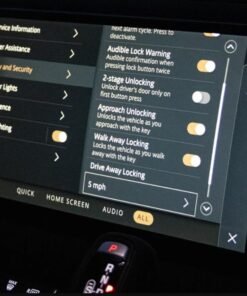
The VIN identifies the exact specification. Enter the VIN into TOPIx Cloud to see the full build sheet including all ADAS features. The vehicle's instrument cluster and infotainment system also show active ADAS features in the settings menu.

Conclusion
JLR ADAS calibration is a technical but highly rewarding service that every modern workshop should consider. With the right equipment, a TOPIx Cloud subscription, and a methodical approach, you can deliver accurate, safe, and profitable calibration services across the full JLR range. Demand for ADAS calibration grows as vehicles age and repairs become more common, and the high margin makes it an excellent investment.
If you are ready to bring ADAS calibration in-house, subscribe to TOPIx Cloud and equip your workshop with the required targets and alignment tools. If you need support with a specific calibration or want to offer the service without the upfront investment, book our mobile ADAS calibration service from £149. Contact us today or visit our website to subscribe to TOPIx Cloud and start offering professional JLR ADAS calibration.