








Mastering JLR Adaptive Cruise Control: Diagnostics, Coding, and Retrofits
Technical Overview of JLR Adaptive Cruise Control
JLR’s Adaptive Cruise Control is a radar-based system that maintains a set speed while automatically adjusting the vehicle’s velocity to keep a safe following distance from the car ahead. The primary component is the Radar Receiver Module (RRM), typically located behind the front grille. This module communicates via a High-Speed CAN (Controller Area Network) bus with key domain controllers, including the Central Configuration Module (CCM), which houses the vehicle’s master CCF.
System Integration and CCF Dependencies
The ACC system does not operate in isolation. It requires seamless integration with the Anti-lock Braking System (ABS), Powertrain Control Module (PCM), and Instrument Cluster (IC). The CCF acts as the digital blueprint, informing each module of the vehicle’s equipped features. For ACC to function, specific parameters within the CCF must be correctly set, such as the vehicle’s Wheelbase Code and Front End Profile, which are critical for the radar’s target-tracking algorithms. An incorrect value here will lead to system faults and performance degradation.
Hypothetical Process: Configuring ACC via CCF Editing
Disclaimer: The following is a generalized, hypothetical process. Always consult the official JLR TOPIX service information for the specific vehicle model and year.
Step-by-Step Guide
- Pre-Work Preparation: Connect a stable battery maintainer to ensure system voltage remains above 12.5V during programming. Connect a DOIP VCI to the vehicle’s OBD-II port and establish a stable network connection to the TOPIX cloud platform.
- Vehicle Identification: Launch JLR Engineering Tool (JET) and identify the vehicle using the VIN. Download the current CCF from the Central Configuration Module (CCM).
- CCF Editing: Within JET, navigate to the relevant configuration tree. Locate the “Cruise Control Type” or equivalent parameter and change the value from “Standard” to “Adaptive“. Input the correct Wheelbase Code and confirm the Front End Profile matches the vehicle’s physical specification.
- File Validation and Upload: Validate the modified CCF for errors. Once validated, upload the new configuration file back to the CCM. The vehicle modules will reset.
- Sensor Calibration: Following a CCF change, a static and dynamic radar alignment is mandatory using the JLR-approved diagnostic software. This process calibrates the RRM to the vehicle’s centerline.
- Functional Test: Perform a rigorous road test to verify ACC functionality, ensuring it acquires and tracks targets correctly and responds to driver-set distance intervals.
Essential Tooling for ACC Diagnostics and Retrofits
Attempting this procedure without the correct equipment will result in failure or vehicle damage.
- DOIP VCI (Vehicle Communication Interface): A generic OBD-II tool is insufficient. A dedicated JLR-compatible DOIP VCI (e.g., JLR VCI, OEM-licensed interfaces) is required for reliable high-speed data transfer.
- Stable Power Supply: A professional-grade battery maintainer is non-negotiable. Voltage drops during CCF writing can corrupt modules.
- Software Access: Valid technician-level accounts for TOPIX cloud and authorization to use the JLR Engineering Tool (JET).
- Calibration Equipment: For radar alignment, a dedicated calibration board (e.g., Hella Gutmann solution) or a factory-approved targetless method via software is needed.
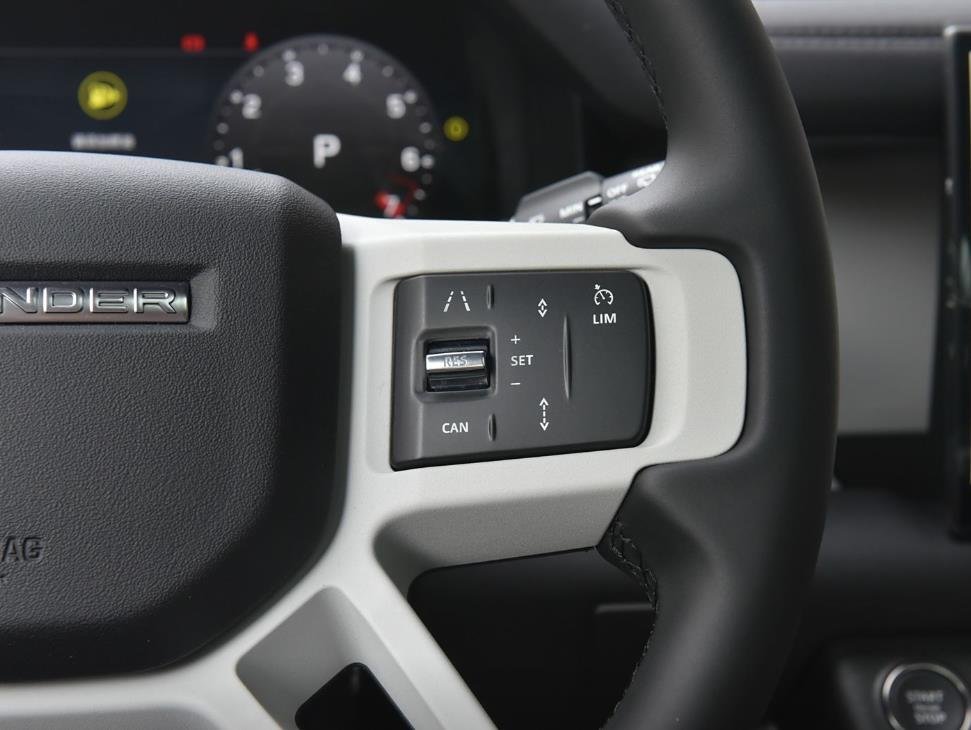
For technicians undertaking an OEM retrofit, sourcing the correct hardware is paramount. A comprehensive kit, including the RRM, appropriate grille, wiring harnesses, and steering wheel switches, is essential. For a reliable, all-in-one solution, consider the dedicated retrofit package available here: JLR Adaptive Cruise Control Retrofit Kit.
Common Challenges and Expert Solutions
Challenge 1: “Configuration Incompatible” Error
Cause: This often occurs when the uploaded CCF parameters conflict with other vehicle systems (e.g., attempting to enable ACC on a vehicle without the required ABS module software level).
Solution: Verify all prerequisite module software levels are up to date via JLR’s software management tools before editing the CCF.
Challenge 2: ACC System Inoperative After Coding
Cause: The most common cause is skipping or incorrectly performing the radar alignment procedure. The system will not activate without a successful calibration.
Solution: Double-check the alignment procedure in TOPIX. Ensure the vehicle is on a level surface and the calibration targets are positioned at the exact specified distance and height.
Challenge 3: Intermittent Fault Codes
Cause: Poor connections at the RRM or a faulty DOIP VCI causing packet loss during CCF upload.
Solution: Inspect the RRM connector for corrosion or pin damage. Use a known-good, high-quality DOIP VCI to reattempt the programming process.
Frequently Asked Questions (FAQ)
Can I retrofit Adaptive Cruise Control to any Jaguar or Land Rover?
Not universally. Retrofitting Adaptive Cruise Control is highly model- and year-specific. It depends on the vehicle’s underlying network architecture and the hardware present. A pre-purchase feasibility assessment using the VIN is critical. Vehicles equipped with standard cruise control and the necessary CAN gateway are the best candidates.
What is the single most important step to avoid bricking a module?
Without a doubt, connecting a stable power supply is the most critical step. Voltage fluctuation during the CCF write cycle is the primary cause of module corruption. A professional battery maintainer is considered essential safety equipment.
Is JET access different from a standard diagnostic session in TOPIX?
Yes. Standard diagnostics in TOPIX cloud are for reading faults and performing routine services. JLR Engineering Tool (JET) is a separate, advanced application used specifically for deep-level CCF editing and programming, typically requiring additional security access permissions from JLR.
Conclusion
Successfully diagnosing, coding, or retrofitting JLR Adaptive Cruise Control demands a methodical approach, a deep understanding of vehicle networks, and precision with the JLR Engineering Tool. The integrity of the Car Configuration File (CCF) is paramount, and the procedure is unforgiving of inadequate tooling or unstable power. By adhering to the technical principles and procedures outlined above, technicians can confidently resolve complex ACC issues and execute professional-grade retrofits.
For reliable, JLR-approved tools, comprehensive retrofit kits, and expert support for complex diagnostic programming and JLR OEM retrofits, your first point of reference should be jlrupgrades.com.