SDD vs Pathfinder vs TOPIx Cloud: Which JLR Diagnostic Tool Do You Need? | TOPIx sdd Comparison
If you work on Jaguar or Land Rover vehicles, you have almost certainly asked yourself: which JLR diagnostic tool do I actually need? JLR has operated three distinct diagnostic platforms over the past two decades — SDD, Pathfinder, and TOPIx Cloud — and each one has a different purpose, a different price model, and a different set of vehicles it can handle. Buying the wrong tool is not a minor inconvenience. It is a mistake that can cost you hundreds of pounds, lost workshop time, and the awkward conversation where you tell a customer you cannot programme their key because your software does not support their vehicle year.
The TOPIx sdd landscape is confusing by design. JLR never operated a single unified platform. SDD served the brand from 2005 through 2016. Pathfinder arrived as a transitional tool for 2016-2021. TOPIx Cloud became mandatory for 2022+ and now represents the future of JLR diagnostics. But the overlap is messy. Some 2017-2018 vehicles work on both SDD and TOPIx Cloud. Some 2019-2021 vehicles work on both Pathfinder and TOPIx Cloud. And from 2022 onwards, only TOPIx Cloud will do.
This guide is a complete side-by-side comparison of SDD, Pathfinder, and TOPIx Cloud. We cover model year coverage, feature capability, pricing, total cost of ownership, and which tool you should buy for your specific situation. Whether you are an independent technician, a mobile locksmith, a workshop owner, or a fleet manager, you will leave this page knowing exactly what you need.
Still unsure after reading? Get a free 15-minute consultation with a JLR specialist — no obligation, no sales pitch, just honest advice.
Quick Comparison Table: TOPIx sdd, SDD, Pathfinder, and TOPIx Cloud
This is the comparison most technicians want first. Every major difference between the three platforms is shown here so you can scan it in under a minute.
| Feature | SDD Software | Pathfinder (Offline) | TOPIx Cloud |
|---|---|---|---|
| Vehicle coverage | 2005-2016 (some 2017 overlap) | 2016-2021 (some overlap) | 2017-present (mandatory 2022+) |
| Model years supported | Pre-2017 primarily | 2016-2021 | 2017+ (all current and future) |
| Communication protocols | CAN, K-Line | CAN, DoIP (limited) | DoIP (full), CAN backward compatibility |
| Diagnostics capability | Full for supported years | Full for supported years | Full for all supported years |
| Module programming | Offline VBF flashing | Offline VBF flashing | Online and offline VBF flashing |
| Key programming | Supported (with accreditation) | Supported (with accreditation) | Supported (with accreditation) |
| ADAS calibration | Basic only | Limited | Full modern ADAS support |
| SOTA updates | Not supported | Not supported | Full SOTA management |
| CCF editing | Supported | Supported | Supported (improved interface) |
| Online requirement | No — fully offline | No — fully offline | Yes — internet required |
| Software updates | None (discontinued) | None (discontinued) | Continuous, automatic |
| Latest TSBs and bulletins | Static (frozen at discontinuation) | Static (frozen at discontinuation) | Always current |
| Wiring diagrams | Included, static | Included, static | Always current, cloud-linked |
| Parts catalogue | Included, static | Included, static | Live-linked to current pricing |
| Programming speed | Slow (CAN-based) | Moderate (early DoIP) | Fast (full DoIP over Ethernet) |
| EV / hybrid support | None | Limited (I-Pace basic) | Full (I-Pace, future EVs) |
| Secure diagnostics | No | No | Yes (MY25.5+) |
| Pricing model | One-time purchase | One-time purchase | Subscription (from £79/24h) |
| Typical cost | £200-£400 (one-time) | £300-£500 (one-time) | £99/24h, £799/month, £799/year |
| Future-proofing | None — declining value | None — declining value | Full — covers all future vehicles |
| System requirements | Older Windows, modest hardware | Windows 10, moderate hardware | Modern browser, any PC, internet |
TOPIx Cloud is the only platform that covers current vehicles and all future JLR models. SDD and Pathfinder are frozen in time. They still work for the years they support, but they will never support a new vehicle again.
What Is JLR SDD Software?
History and purpose
SDD (Symptom Driven Diagnostics) was JLR's factory diagnostic platform from 2005 through 2016. It replaced the earlier IDS and introduced a guided diagnostic workflow where technicians selected symptoms rather than diving straight into ECU lists, which helped less experienced users reach accurate diagnoses faster.
For its era, SDD was comprehensive. It covered diagnostics, module programming, service functions, CCF editing, and key programming. It ran as a native Windows application, which meant it worked offline once installed — a genuine advantage in workshops with poor internet connectivity.
What SDD can do
On the vehicles it supports, SDD remains capable. It can read and clear fault codes, perform guided diagnostics, programme replacement modules with VBF files, carry out service resets, and handle basic immobiliser and key programming functions. For pre-2017 JLR specialists — particularly those working on Discovery 3 and 4, Range Rover L322, Range Rover Sport L320, and Jaguar XF X250 — SDD is still relevant.
What SDD cannot do
The limitations are stark. SDD has no support for any vehicle launched from 2017 onwards. It cannot communicate over DoIP, which means it cannot talk to modern Ethernet-based diagnostic networks. It has no online programming, no SOTA management, no modern ADAS calibration, and no support for the I-Pace or any future EV platform. The software is discontinued, so there are no updates, no new calibration files, and no new technical bulletins.
Who should still use SDD
SDD makes sense for three specific groups: pre-2017 specialists, budget workshops that only occasionally see a 2005-2016 JLR, and legacy fleet operators maintaining older JLR vehicles.
SDD pricing and declining value
SDD software is available as a one-time purchase, typically £200-£400 depending on the source and whether it includes a VCI. That sounds cheaper than a subscription, but the value declines every year. Each new JLR model launched since 2017 is invisible to SDD. As older vehicles leave the road, the addressable market for SDD shrinks. If you buy SDD today for £300, its utility in five years will be a fraction of what it is now.
System requirements
SDD runs on older Windows versions — Windows 7 and Windows 10 are both supported, though Windows 10 compatibility can be patchy. It does not demand high-end hardware. A modest laptop with 4GB of RAM will usually suffice. The main challenge is finding a legitimate installation source, as JLR no longer sells SDD officially.
What Is JLR Pathfinder Software?
History and purpose
Pathfinder was introduced around 2016 as the bridge between SDD and the cloud era. It supported the new generation of JLR vehicles moving to DoIP communication, including the Range Rover L405, Discovery 5, and Jaguar F-Pace. It was intended as a transitional tool, and that is exactly what it became.
What Pathfinder can do
Pathfinder supports offline diagnostics and programming for 2016-2021 JLR vehicles. It can read and clear fault codes, programme modules with VBF files, perform service functions, and handle CCF editing. It added DoIP support, which meant faster communication with newer vehicles. For workshops working on 2016-2021 JLR models, Pathfinder was a genuine step up from SDD.
What Pathfinder cannot do
The critical limitation is that Pathfinder is frozen. JLR discontinued development, so there are no updates for 2022+ vehicles, no new calibration files, no new technical bulletins, and no support for SOTA updates. It cannot handle modern ADAS calibration, secure diagnostics, or EV-specific functions. Most importantly, it cannot programme modules on any vehicle launched from 2022 onwards.
The "offline" limitation: why Pathfinder is becoming obsolete
Pathfinder was designed as an offline tool in an era when JLR was moving towards online dependency. Modern JLR programming requires online authentication for security-critical modules. Pathfinder cannot provide this. As JLR increases online security — particularly from MY25.5 onwards with Secure Diagnostics — the offline model becomes untenable. A tool that cannot connect to JLR's servers cannot authorise programming on newer vehicles, and that gap will only widen.
Who should still use Pathfinder
Pathfinder has a shrinking niche: 2016-2021 specialists, and offline-only shops with no reliable internet that work on 2016-2021 vehicles.
Pathfinder pricing
Pathfinder typically costs £300 to £500 as a one-time purchase. Like SDD, its value is declining. Every year, more vehicles move out of its supported range and into TOPIx Cloud territory.
System requirements
Pathfinder requires Windows 10 and moderate hardware. It is more demanding than SDD but still runs on a standard workshop laptop.
What Is JLR TOPIx Cloud?
History and purpose
TOPIx Cloud is JLR's current and future diagnostic platform. It replaced locally installed software by moving everything to a browser-based cloud environment. Launched for 2017+ vehicles and made mandatory from 2022 onwards, TOPIx Cloud is where all JLR diagnostic development now happens. If you want to work on a 2022 Range Rover L460, a 2023 Defender L663, or a 2025 I-Pace, TOPIx Cloud is your only option.
What TOPIx Cloud can do
The capabilities list is extensive. TOPIx Cloud provides full diagnostics, online and offline module programming, SOTA updates, modern ADAS calibration, EV-specific diagnostics, secure diagnostics for MY25.5+, and continuous access to the latest calibration files, technical bulletins, and wiring diagrams. It also links to a live parts catalogue with current pricing, invaluable for quoting repair jobs accurately.
The online advantage: always up-to-date
Because TOPIx Cloud is an online platform, it is always current. There is no need to download updates, no risk of working with outdated calibration files, and no gap between a new TSB being issued and it appearing in your diagnostic session. When JLR releases a new software patch, it appears in TOPIx Cloud immediately. When a new model launches, the diagnostic data is available from day one.
The cloud advantage: no installation, any PC
TOPIx Cloud runs in a standard web browser. That means no lengthy software installation and no need for a dedicated diagnostic laptop. You can log in from any modern PC, provided you have the Diagnostic Device Agent (DDA) installed and a compatible VCI connected. This flexibility is particularly valuable for mobile technicians who may need to switch between laptops or work from a customer's premises.
Who should use TOPIx Cloud
Almost everyone working on 2017+ JLR vehicles should use TOPIx Cloud. This includes general workshops, mobile technicians, and anyone who wants future-proofing or works on modern ADAS and EV systems.
TOPIx Cloud pricing
TOPIx Cloud operates on a subscription model. At topix-cloud.com, our plans start at £99 for 24-hour access, ideal for one-off jobs. For regular workshop use, Professional Monthly is £799, Ultimate Monthly is £1599, and Professional Yearly is £799. All our prices are visible without registration — you can see exactly what you will pay before creating an account. Compare our TOPIx Cloud subscription plans to see which fits your workload.
System requirements
TOPIx Cloud is browser-based and works on any modern PC running Windows 10 or 11. You need Chrome or Edge, a stable internet connection, the DDA installed, and a compatible VCI. Hardware demands are modest — any laptop bought within the last five years will handle it. For full details, see our system requirements page.
Model Year Coverage Matrix
Choosing the right tool starts with knowing what year vehicles you work on. Here is the definitive breakdown.
Pre-2017 vehicles: SDD only
Vehicles from 2005 through 2016 were designed for SDD. The Discovery 3 and 4, Range Rover L322, Range Rover Sport L320, Jaguar X-Type, S-Type, XJ X350/X358, and early XF all fall into this category. Pathfinder does not support these vehicles. TOPIx Cloud has limited backward compatibility for some late-2016 models, but for the pre-2017 core, SDD is the native platform.
2017-2018 vehicles: TOPIx Cloud or SDD depending on model
The transition period is messy. The 2017 Range Rover Velar, the 2018 I-Pace, and some later-model-year Discovery 5s were built for TOPIx Cloud but may still communicate with SDD depending on exact build date and software level. As a general rule, if the vehicle has a DoIP diagnostic connector, it needs TOPIx Cloud. If it is CAN-only, SDD may still work. If you are unsure, check our detailed model year matrix or use the VIN lookup in TOPIx Cloud.
2019-2021 vehicles: TOPIx Cloud or Pathfinder offline
This range is where Pathfinder and TOPIx Cloud overlap. Pathfinder offline covers most 2019-2021 vehicles for diagnostics and basic programming. TOPIx Cloud covers the same vehicles but adds online programming, SOTA, and the latest calibration files. For a 2019 Range Rover L405, both tools can work. But if that vehicle needs a module update that requires online authentication, only TOPIx Cloud can deliver it.
2022+ vehicles: TOPIx Cloud ONLY
From 2022 onwards, JLR made TOPIx Cloud mandatory. The Range Rover L460, Range Rover Sport L461, Discovery L462, and Defender L663 all require TOPIx Cloud. Pathfinder and SDD cannot communicate with these vehicles at all. The DoIP security layer and online authentication requirements make older tools completely obsolete for this era.
MY25.5+ vehicles: TOPIx Cloud + Secure Diagnostics
From model year 2025.5, JLR is introducing Secure Diagnostics — a hardware-authenticated communication layer between the VCI and the vehicle. This requires a certified VCI and TOPIx Cloud. No offline tool can meet this requirement. If you plan to work on 2025+ JLR vehicles, you need TOPIx Cloud and a compatible VCI. See our VCI compatibility guide for the latest approved hardware.
Vehicle-specific breakdown
- Defender L663 (2020+): Full DoIP, requires TOPIx Cloud. Pathfinder has very limited support for early L663 models only.
- Range Rover L460 (2022+): TOPIx Cloud mandatory.
- Discovery L462 (2021+): TOPIx Cloud mandatory for 2022+. Pathfinder covers some early L462.
- I-Pace X590 (2018+): TOPIx Cloud strongly recommended. Pathfinder has basic support but lacks EV-specific functions.
- Range Rover Velar (2017+): TOPIx Cloud preferred. SDD may work on very early models but is not reliable.
- Jaguar F-Pace (2016+): Pathfinder covers 2016-2021. TOPIx Cloud covers all years.
Feature-by-Feature Comparison
Diagnostics capability
All three platforms provide full diagnostic reading and clearing on the vehicles they support. The difference is coverage. SDD and Pathfinder are limited to their respective model years. TOPIx Cloud covers everything from 2017 onwards with continuous updates, and its interface and search speed are superior for modern vehicles with 80+ ECUs.
Module programming (VBF flashing)
SDD and Pathfinder both support offline VBF flashing for their supported vehicles. However, many modern modules require online authentication to accept new software. Only TOPIx Cloud can provide this. If you are programming a replacement BCM on a 2023 vehicle, TOPIx Cloud is the only platform that can complete the job.
Key programming
Key programming is supported on all three platforms, but with a critical caveat: all key programming requires JLR accreditation. The tool is only half the equation. SDD and Pathfinder can handle key programming on their supported vehicles, but they use older security protocols. TOPIx Cloud uses current online authentication, which is more reliable and less prone to the lockout issues that plagued older systems.
ADAS calibration
Modern ADAS requires precise calibration routines that are only available in TOPIx Cloud. SDD and Pathfinder have basic ADAS support for older systems, but they cannot handle the multi-camera and radar calibration required on 2020+ vehicles. If ADAS work is part of your business, TOPIx Cloud is non-negotiable.
CCF editing (variant coding)
CCF editing — changing vehicle configuration options like seat heating, lighting behaviour, or wheel size — is supported on all three platforms. The interface differs. SDD and Pathfinder use a native application interface. TOPIx Cloud uses a browser-based editor that is generally faster and more intuitive, but the underlying functionality is similar across all three.
SOTA updates (Software Over The Air)
SOTA is the system that allows JLR to push software updates to vehicles remotely. Managing SOTA updates is only possible in TOPIx Cloud. SDD and Pathfinder predate SOTA entirely.
Service schedules and maintenance
All three platforms provide service schedules and maintenance routines. The difference is currency. TOPIx Cloud always has the latest schedules and any mid-year revisions. SDD and Pathfinder have static schedules frozen at the point of discontinuation.
Wiring diagrams and workshop manuals
Wiring diagrams and workshop manuals are included in all three platforms. TOPIx Cloud links to the latest versions automatically. SDD and Pathfinder include diagrams that were current when the software was last updated. For a 2024 vehicle, only TOPIx Cloud has the current documentation.
Technical bulletins
Technical bulletins (TSBs) are critical for diagnosing known issues. TOPIx Cloud receives new TSBs as they are issued. SDD and Pathfinder contain only the TSBs that existed at their discontinuation — a significant disadvantage when working on any vehicle with a known manufacturer issue identified after the tool was frozen.
Parts catalogue
All three platforms include a parts catalogue, but TOPIx Cloud links to live pricing and availability. SDD and Pathfinder show static parts data. If you are quoting a repair, live pricing helps you give accurate estimates.
Total Cost of Ownership: TOPIx sdd and Platform Comparison
The sticker price is not the whole story. Here is how the costs stack up over time.
Year 1 costs
For a new technician setting up from scratch, the first-year costs include software, a VCI, and a suitable laptop.
| Item | SDD | Pathfinder | TOPIx Cloud |
|---|---|---|---|
| Software | £200-£400 (one-time) | £300-£500 (one-time) | £799-£1599 (subscription) |
| VCI | £199-£999 | £199-£999 | £199-£999 |
| Laptop | £300-£600 | £400-£700 | £300-£600 |
| Year 1 total | £699-£1,999 | £899-£2,199 | £658-£2,398 |
TOPIx Cloud can actually be the cheapest option in year one if you choose a monthly plan and already own a laptop. The genuine Bosch VCI pushes all three options to the higher end.
Year 2-3 costs
This is where the subscription model shows its cost. SDD and Pathfinder have no ongoing software costs. TOPIx Cloud requires continuous subscription.
| Item | SDD | Pathfinder | TOPIx Cloud |
|---|---|---|---|
| Year 2 software | £0 | £0 | £799-£1599 |
| Year 3 software | £0 | £0 | £799-£1599 |
| Updates | None | None | Included |
| 2-3 year software total | £0 | £0 | £318-£1,598 |
However, SDD and Pathfinder offer no value growth. Every year, more vehicles move out of their supported range. The £0 update cost is accompanied by declining utility.
5-year projection
| Item | SDD | Pathfinder | TOPIx Cloud |
|---|---|---|---|
| Initial software | £300 | £400 | £799 (yearly) |
| Years 2-5 software | £0 | £0 | £3,196 |
| VCI replacement (if needed) | £0-£300 | £0-£300 | £0-£300 |
| 5-year total | £300-£600 | £400-£700 | £3,995-£4,295 |
On pure numbers, SDD and Pathfinder look cheaper. But this table is misleading if you work on modern vehicles. If you need to cover 2022+ vehicles, you must buy TOPIx Cloud anyway. The real comparison for a modern workshop is not "SDD vs TOPIx Cloud" but "SDD + TOPIx Cloud vs TOPIx Cloud alone." In that scenario, TOPIx Cloud is the more efficient choice.
Hidden costs
The hidden costs of SDD and Pathfinder are substantial: VCI upgrades (if you bought a Mongoose cable for SDD, you need a DoIP VCI for modern vehicles), PC replacements (SDD runs on older Windows, and compatible hardware becomes harder to find every year), lost productivity (a technician who cannot programme a 2023 vehicle because they only have Pathfinder loses revenue), and outdated data (stale TSBs and calibration files can lead to misdiagnosis and comebacks).
5-year TCO comparison table
| Scenario | 5-year cost | Vehicles covered |
|---|---|---|
| SDD only | £300-£600 | 2005-2016 (declining) |
| Pathfinder only | £400-£700 | 2016-2021 (declining) |
| TOPIx Cloud (yearly) | £3,995 | 2017-present (growing) |
| SDD + TOPIx Cloud | £4,295-£4,895 | 2005-present |
| Pathfinder + TOPIx Cloud | £4,395-£4,995 | 2016-present |
| All three | £4,695-£5,295 | 2005-present |
Decision Tree: Which TOPIx sdd Tool Should YOU Buy?
Question 1: What year are the vehicles you work on?
- Only pre-2017: SDD is sufficient, but consider whether you will see newer vehicles in the next two years.
- Only 2016-2021: Pathfinder covers you, but the same future-proofing concern applies.
- Any 2017+ or mixed: TOPIx Cloud is mandatory for modern vehicles and strongly recommended for the rest.
- Any 2022+: TOPIx Cloud is your only option.
Question 2: Do you need online programming?
- Yes: TOPIx Cloud only. SDD and Pathfinder cannot authenticate online programming sessions.
- No: Pathfinder or SDD may suffice for your current vehicles, but you lose the ability to programme many modern modules even if the vehicle year is technically in range.
Question 3: Do you need ADAS calibration?
- Yes, modern ADAS: TOPIx Cloud only.
- No, or only basic systems: SDD or Pathfinder may handle your current needs.
Question 4: Do you need key programming?
- Yes, regularly: All three can work, but TOPIx Cloud's online authentication is more reliable. Ensure you have JLR accreditation regardless of tool choice.
- Occasionally: Any tool works for its supported years. Buy based on your primary vehicle coverage.
Question 5: What's your budget?
- Under £500: A used SDD or Pathfinder setup is your only option, but accept the coverage limitations.
- £500-£1,000: TOPIx Cloud monthly with a budget VCI (£799 + £199 VNCI) gets you into the modern platform for under £360 in year one.
- £1,000+: TOPIx Cloud yearly with a quality VCI (£799 + £249 DA-DoIP) is the professional setup.
Question 6: Do you need future-proofing?
- Yes, I want one tool for the next 5-10 years: TOPIx Cloud is the only answer. SDD and Pathfinder are dead ends.
- No, I only need to cover a specific legacy fleet: SDD or Pathfinder may be the pragmatic choice.
Flowchart-style decision
Here is the simplified path:
- Do you work on 2022+ vehicles? → TOPIx Cloud.
- Do you work on 2017+ vehicles and want future-proofing? → TOPIx Cloud.
- Do you work only on 2016-2021 and have no internet? → Pathfinder.
- Do you work only on pre-2017 and have a tight budget? → SDD.
- Do you work on a mix of ages and want full coverage? → TOPIx Cloud + consider SDD for legacy.
Final recommendation per scenario
- Mobile technician: TOPIx Cloud on a monthly plan. Flexibility is everything.
- High-volume JLR workshop: TOPIx Cloud yearly + DA-DoIP VCI. The cost per job is negligible.
- Budget startup: TOPIx Cloud 24-hour plan for occasional jobs, upgrade to monthly as volume grows.
- Legacy fleet specialist: SDD if you truly never see modern vehicles. But be honest — will that still be true in two years?
- Locksmith: TOPIx Cloud. Key programming on modern JLR vehicles is increasingly online-only.
Found your answer? Subscribe to TOPIx Cloud from £79 and start working on modern JLR vehicles today.
Can You Use All Three Tools Together?
Why some workshops run SDD + Pathfinder + TOPIx Cloud
The "full coverage" strategy is simple: run all three platforms so you can handle any JLR vehicle that rolls in. For a high-volume independent workshop, this is the gold standard.
The "full coverage" strategy: costs, benefits, complexity
The benefit is obvious — comprehensive coverage from 2005 to present and future. The cost is also obvious: three software licences, multiple VCIs, and the complexity of maintaining three platforms. For most workshops, this is overkill. The pragmatic approach is TOPIx Cloud plus a legacy SDD setup if you see significant pre-2017 volume. Pathfinder is the least essential because its 2016-2021 coverage overlaps with TOPIx Cloud.
Recommended multi-tool setup for full-service JLR workshops
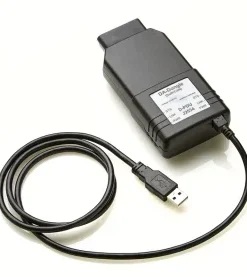
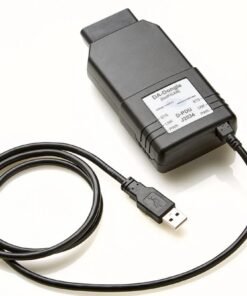
If you want full coverage, the optimal setup is TOPIx Cloud (yearly) + DA-DoIP VCI (£249-£399) for 2017+ and all future vehicles, plus SDD (used, ~£200-£300) + Mongoose cable for pre-2017 legacy vehicles. Skip Pathfinder unless you have a specific reason to need offline 2016-2021 coverage.
This two-tool setup covers 2005-present for roughly £1,000-£1,500 in software and hardware, with only the TOPIx Cloud subscription recurring.
When one tool is sufficient
If you work on 2017+ vehicles only, TOPIx Cloud alone is sufficient. If you work on pre-2017 only, SDD alone is sufficient. If you are starting out, start with TOPIx Cloud and add SDD later if legacy work justifies it.
Migration Guide: Switching from SDD or Pathfinder to TOPIx Cloud
What carries over
Your knowledge carries over. The diagnostic logic, module names, and programming concepts are the same. If you are proficient in SDD, you will learn TOPIx Cloud quickly. Your VCI hardware may also carry over if you already own a DoIP-capable interface. Your laptop probably carries over if it runs Windows 10 or 11.
What changes
Three things change fundamentally: online dependency (you need a stable internet connection), the subscription model (you pay continuously rather than once), and workflow (sessions are browser-based rather than a local desktop application).
Step-by-step migration plan
- Assess your current setup: What VCI do you own? Is it DoIP-capable? Check our VCI compatibility guide to confirm.
- Choose a TOPIx Cloud plan: Start with a 24-hour or monthly plan to test the platform. Browse our pricing page to compare.
- Install DDA: Download the Diagnostic Device Agent from the JLR portal and install it on your PC. See our TOPIx Cloud login guide for step-by-step instructions.
- Test your VCI: Connect your VCI, launch DDA, and log in to TOPIx Cloud. Run a test session on a vehicle you know.
- Parallel running: Keep SDD or Pathfinder active while you learn TOPIx Cloud. Do not switch on a busy Monday morning.
- Train your staff: Give technicians access to a training session. The interface is intuitive but different from SDD.
- Retire legacy tools: Once confident, retire SDD or Pathfinder unless you need them for specific legacy work.
Training resources
JLR runs the Diagnostic Academy for technicians who need formal training on TOPIx Cloud. While accreditation is required for key programming and certain advanced functions, the basic platform is straightforward enough that most experienced technicians can self-teach using JLR's documentation. For formal certification, visit the JLR Diagnostic Academy or contact us for recommended training paths.
Need help migrating? Our remote installation service connects a JLR specialist to your PC to install DDA, configure your VCI, and verify TOPIx Cloud connectivity. Sessions start from £49 and typically take 45 minutes.
FAQ
Can I use TOPIx Cloud for pre-2017 JLR vehicles?
TOPIx Cloud officially supports 2017+ vehicles, but some late-2016 models with transitional software may work. For the core pre-2017 range, SDD remains the correct tool. If you need coverage across the full range, a dual setup of TOPIx Cloud + SDD is recommended.
Is SDD still worth buying in 2026?
Only if you exclusively work on pre-2017 vehicles and have no plans to expand into newer models. The software is discontinued, unsupported, and declining in value. For most technicians, investing in TOPIx Cloud is the smarter long-term choice. If you do buy SDD, treat it as a legacy accessory, not a primary tool.
What's the difference between Pathfinder offline and TOPIx Cloud?
Pathfinder is an offline software tool for 2016-2021 vehicles. It is frozen — no updates, no new models. TOPIx Cloud is an online, browser-based platform for 2017+ vehicles with continuous updates, online programming, and full future support. Pathfinder was a transitional tool. TOPIx Cloud is the destination.
Can I do key programming with SDD or do I need TOPIx Cloud?
You can do key programming with SDD on its supported vehicles, but you need JLR accreditation regardless of the tool. For modern vehicles (2017+), TOPIx Cloud is increasingly the only reliable option because online authentication is more robust and covers current security protocols.
Which tool is best for a mobile technician?
TOPIx Cloud. The subscription flexibility suits unpredictable mobile workloads. The browser-based platform works on any PC, and the cloud model means you are never carrying outdated software. Pair it with a compact WiFi-capable VCI like the DA-DoIP for maximum flexibility.
Do I need all three tools for a full-service JLR workshop?
Not necessarily. TOPIx Cloud + SDD covers 2005 to present. Pathfinder is only essential if you specifically need offline 2016-2021 coverage. For most workshops, TOPIx Cloud yearly plus a used SDD setup for legacy work is the optimal combination.
Can I buy a lifetime subscription to TOPIx Cloud?
No. JLR does not offer lifetime access to TOPIx Cloud. It is a subscription service with ongoing costs that reflect continuous updates and server infrastructure. At topix-cloud.com, we offer yearly plans at £799 which provide the closest thing to long-term stability. See our pricing page for all options.
Will Pathfinder offline work for 2022+ vehicles?
Absolutely not. Pathfinder has no support for 2022+ vehicles and never will. JLR made TOPIx Cloud mandatory for all 2022+ diagnostics and programming. If you see a 2022 Range Rover, a 2023 Defender, or any newer model, you need TOPIx Cloud.
Which tool is easiest for beginners?
TOPIx Cloud has the most intuitive interface. SDD's symptom-driven workflow was innovative for its time but feels dated. Pathfinder's offline nature makes it more cumbersome to update and maintain. The browser-based, always-current nature of TOPIx Cloud means beginners are never working with outdated data.
Can I use the same VCI for SDD, Pathfinder, and TOPIx Cloud?
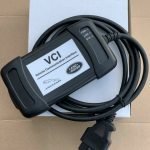
It depends on the VCI. The genuine Bosch JLR DoIP VCI and the DA-DoIP VCI both support SDD (via passthru), Pathfinder, and TOPIx Cloud. The VNCI and TopDon also support multi-platform use. However, older SDD-specific cables like the Mongoose JLR do not support DoIP and therefore cannot work with Pathfinder or TOPIx Cloud. Check our VCI compatibility guide for the full matrix.
What's the cheapest way to diagnose a 2019 Range Rover?
Pathfinder offline may work for basic diagnostics if you already own it. But if you need programming or the latest data, TOPIx Cloud is the only reliable option. A 24-hour TOPIx Cloud subscription at £39 is the cheapest professional-grade option for occasional 2019 work.
Does TOPIx Cloud replace SDD completely?
For 2017+ vehicles, yes. For pre-2017 vehicles, no. SDD is still required for the core 2005-2016 range. TOPIx Cloud and SDD are complementary tools for workshops that span the full JLR timeline.
Can I still buy SDD from JLR officially?
No. JLR no longer sells SDD officially. Any SDD software available is through aftermarket channels or legacy stock. This means no official support, no updates, and some risk regarding licence legitimacy. Factor this into your decision.
What's the best tool for ADAS calibration?
TOPIx Cloud. Modern ADAS calibration — multi-camera systems, radar alignment, and complex routines on 2020+ vehicles — is only supported in TOPIx Cloud. SDD and Pathfinder have basic ADAS for older systems but cannot handle current requirements.
How much does it cost to run all three tools for 5 years?
Approximately £4,695-£5,295 including software, a quality VCI, and a laptop. For most workshops, this is unnecessary. A TOPIx Cloud + SDD dual setup is cheaper and covers the same range.
Can I switch from a monthly TOPIx Cloud subscription to yearly?
Yes. At topix-cloud.com, you can upgrade from monthly to yearly at any time. The yearly plan at £799 offers significant savings over twelve monthly payments and is the best choice for workshops with consistent JLR volume. You can manage your subscription on our pricing page.
Do I need TOPIx Cloud for a 2025 Defender?
Yes. A 2025 Defender requires TOPIx Cloud. It uses full DoIP, online programming, and from MY25.5 onwards will require Secure Diagnostics. No offline tool can handle this vehicle. You also need a DoIP-capable VCI — see our VCI compatibility guide for recommendations.
Is TOPIx Cloud more expensive than SDD long-term?
Yes, purely on software cost. But the comparison is misleading. SDD cannot work on modern vehicles, so if your workshop sees any 2017+ JLR, you need TOPIx Cloud anyway. The real question is whether TOPIx Cloud's revenue from modern vehicles justifies its subscription cost — and for virtually any professional workshop, it does.
Which tool has the best workshop manuals?
TOPIx Cloud, because the manuals are always current. SDD and Pathfinder include workshop manuals that were accurate when the software was released but do not reflect mid-model updates or revised specifications. For a 2024 vehicle, only TOPIx Cloud has the right manual.
Can I use TOPIx Cloud without an internet connection?
No. TOPIx Cloud requires an active internet connection for login, vehicle authentication, and most programming functions. Some diagnostic reading may work briefly if the connection drops, but the platform is designed for always-online use. If you need offline capability, Pathfinder is the only option for its limited year range.
Conclusion
For most technicians in 2026, TOPIx Cloud is the right choice. It is the only platform that covers current and future JLR vehicles, with continuous updates, online programming, and modern ADAS support. The subscription model is a cost, but it pays for itself through access to the full range of vehicles, the latest calibration files, and the confidence that you will never turn a customer away because your tool is obsolete.
That said, there are honest exceptions. If you are a pre-2017 specialist with no intention of working on newer vehicles, SDD is a pragmatic low-cost option. If you run an offline-only shop with no broadband and your work is confined to 2016-2021, Pathfinder may still serve you. But these are narrowing niches. The direction of travel is clear: JLR is all-in on cloud-based diagnostics, and the independent workshop that wants to stay relevant needs to follow.
Ready to choose? Browse our TOPIx Cloud subscription plans from £79 — transparent pricing, no hidden fees, no registration required to see what you will pay. Accounts are typically activated within 2 hours.
Still unsure? Book a free 15-minute consultation with a JLR specialist — no obligation, no sales pitch, just honest advice about which tool fits your specific situation.
Related content
- TOPIx Cloud Subscription Plans — compare every plan and choose the right one for your workload
- VCI Compatibility Guide — ensure your interface works before you buy
- Model Year Matrix — detailed vehicle-by-vehicle coverage breakdown
- TOPIx Cloud Login Guide — step-by-step access to the platform
- System Requirements — full technical specs for your diagnostic setup
- Contact Support — speak to a JLR specialist in under 2 minutes
- JLR Diagnostic Academy — training resources for TOPIx Cloud certification
- SDD Software Product Page — legacy tool information
- Pathfinder Software Product Page — offline tool information
Last updated: July 2026. Information accurate to JLR diagnostic platforms as of this date. Vehicle coverage, pricing, and features are subject to change. Always verify current compatibility with your JLR account manager or subscription provider before purchasing.