
Technical Configuration of the JLR PIVI 007 Welcome Screen Interface
For the professional Jaguar Land Rover technician, mastery of the JLR Engineering Tool (JET) and disciplined
CCF (Car Configuration File) editing is fundamental when customizing the Human–Machine Interface (HMI) across
modern JLR platforms. This capability goes beyond routine diagnostics and into controlled personalization, software recovery,
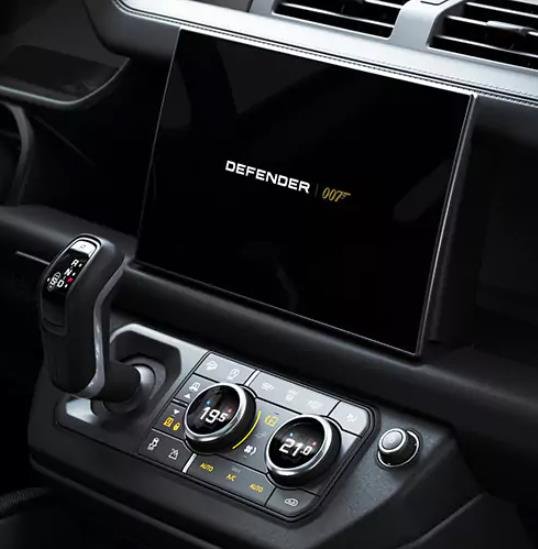
and OEM-consistent feature configuration. A specialized use-case is programming the JLR PIVI “007” Welcome Screen—an infotainment
boot sequence intended to deliver a specific branded startup experience.
In workshop practice, the most common problem this procedure resolves is the loss of the correct welcome animation after
an infotainment control unit replacement, partial software recovery, or configuration mismatch following programming work.
When the HMI no longer presents the intended startup sequence, technicians must verify software compatibility and apply the
correct configuration reference in the relevant infotainment module using authenticated engineering workflows.
Technical Architecture of the PIVI 007 Welcome Screen
The JLR PIVI 007 Welcome Screen interface is a software-executed animation sequence that runs during the boot cycle of the
PIVI Pro Infotainment Control Unit. It is not a single static image; it is typically a timed sequence of graphics
(and, depending on the software package, may include audio cues) initiated by a startup routine as the infotainment system
initializes its display stack.
From a diagnostic standpoint, it is important to treat this as a resource-dependent boot phase. If the infotainment system
is configured to reference an animation resource that is missing, corrupted, or not supported by the installed software level,
the system may fall back to a default graphic—or in worst cases enter a boot loop.
System Logic and CCF Integration
During startup, the infotainment bootloader and/or early initialization services reference configuration parameters stored in the
CCF. Within the infotainment module configuration block, a welcome-screen parameter effectively acts as a pointer that
selects which graphical resource bundle should load for the “welcome” phase. In practical terms, the CCF value determines whether
the system loads a standard JLR startup sequence or an alternate sequence such as the “007” interface, provided the corresponding
assets exist in non-volatile storage and the installed software package supports them.
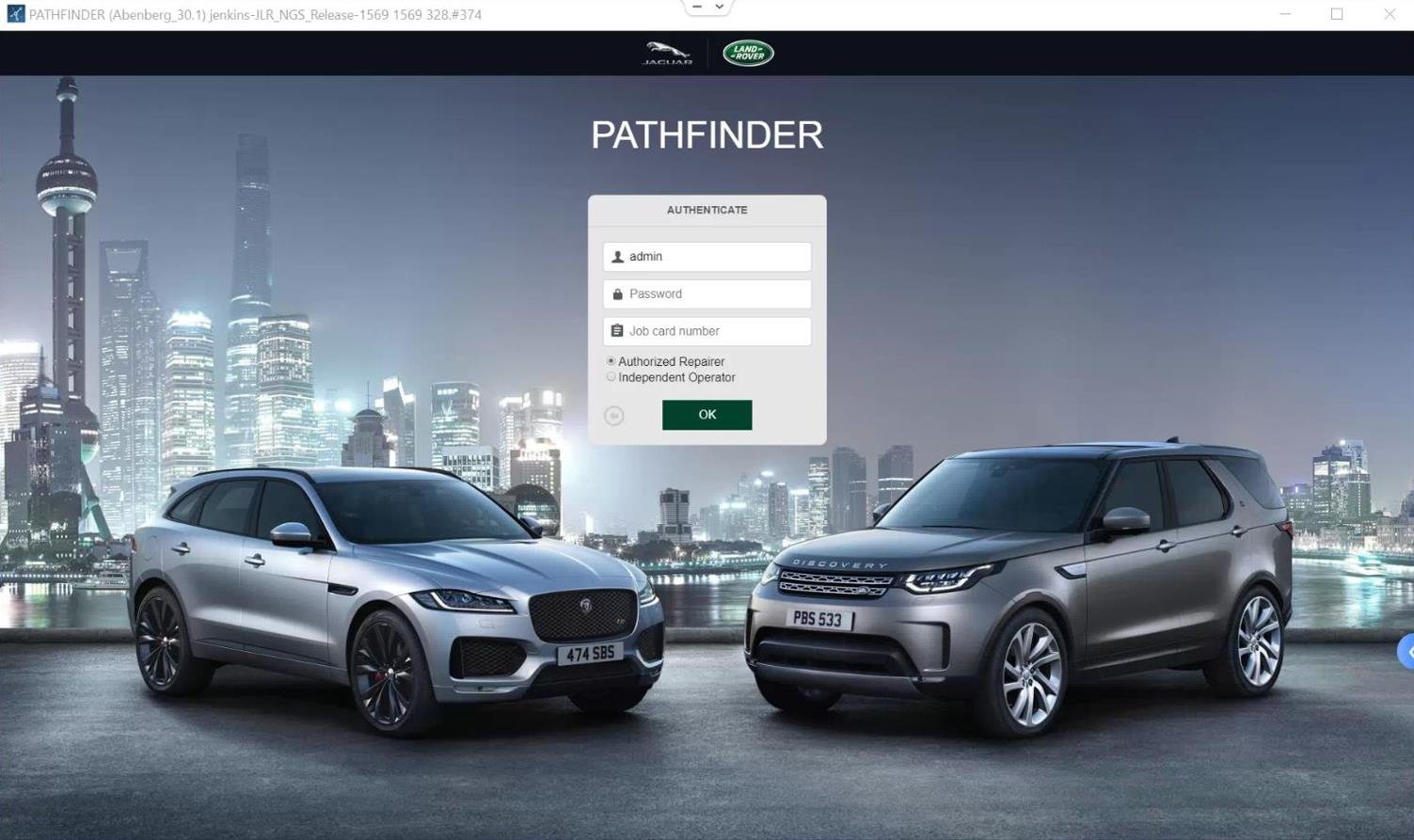
Technicians typically implement this change using JET within an authenticated TOPIx Cloud session.
In day-to-day workflow that means ensuring credentials and access are in place before the vehicle is connected. Many failures are
procedural rather than technical: incomplete authentication, insufficient security level, or session interruption during write events.
This is why technicians should treat access steps—such as topix login, login topix, or a specific
jaguar land rover topix login / jlr topix login process—as part of the programming checklist, not as an afterthought.
Note that this configuration is within the infotainment domain and is separate from instrument cluster welcome graphics. Do not assume
that changing cluster parameters will influence PIVI startup behavior; the target module is the infotainment control unit and its related
configuration set.
Hypothetical Step-by-Step Process for Configuration
Disclaimer: This is a generalized procedural outline. Always consult official JLR technical documentation for vehicle- and software-specific
instructions. Incorrect modification can lead to infotainment system failure.
- Pre-Programming Verification
Connect a certified DOIP VCI and perform a diagnostic scan of the Infotainment Control Unit. Confirm the module part number,
current software level, and presence of any infotainment-related DTCs. Verify the system is stable (no repeated resets, low-voltage history,
or storage-related faults). - JET Session Establishment
Authenticate via TOPIx Cloud and establish a secure session in JET using the VIN. Ensure appropriate permissions
are available. In practical terms, technicians may be using environments described by users as jlr topix,
land rover topix, jaguar topix, topix jaguar, or topix land rover access—
but the technical requirement is the same: valid credentials and a stable, authenticated engineering session. - Mandatory CCF Backup
Read and save a complete backup of the vehicle’s CCF, paying special attention to the Infotainment configuration block.
This backup is the primary recovery point if the infotainment unit becomes unresponsive after a write. - Configuration Editing
Navigate the CCF tree for the Infotainment Control Unit. Locate parameters typically labeled “Startup Animation,” “Welcome Screen,” or “Boot Graphic.”
Change the value from the standard identifier to the specific identifier associated with the 007 welcome sequence—only if software support and assets are confirmed. - Write and Validate
Write the modified CCF block back to the infotainment module. Confirm the programming event completes successfully and that the session remains stable. - Module Hard Reset
Perform an infotainment hard reset to force a cold-load of the new configuration. Use an OEM-recommended reset method where applicable. - Functional Verification
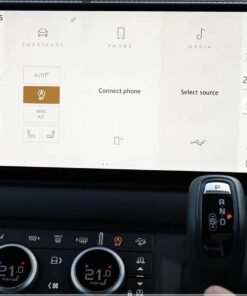
Cycle ignition and observe the central display boot sequence. The system should present the 007 welcome animation and then proceed to the main UI without errors.
Confirm no new DTCs are generated and that the infotainment system remains stable through multiple ignition cycles.
Essential Toolkit for PIVI 007 Interface Programming
- DOIP VCI (Vehicle Communication Interface): Required for stable, modern JLR diagnostic communication and CCF operations.
- Stable Power Supply: A regulated battery support unit is strongly recommended. Voltage interruption during CCF write can corrupt the module.
- JLR Software Access: Authenticated access to TOPIx Cloud and JET is mandatory.
Ensure your access workflow (e.g., topix login / jaguar land rover topix environment) is validated before connecting. - Reliable Programming Workstation: Use stable networking and avoid session drops that can interrupt write operations.
Common Challenges and Technical Resolution
1) Standard JLR Logo Displays or Welcome Screen Does Not Change
Typically indicates one of two conditions: the CCF parameter did not apply to the intended module/block, or the 007 animation resources are not present in the installed
infotainment software package. In the second case, configuration alone cannot create missing assets; a correct software package/recovery workflow may be required.
2) Infotainment Boot Loop After CCF Write
An invalid or unsupported configuration value can trigger critical startup errors. The correct resolution is to restore the original CCF backup using
JET—and if the screen is unresponsive, proceed via the appropriate recovery approach supported by JLR procedures.
3) Parameter Path Not Found
CCF structure varies by software version and platform generation. If the welcome-screen parameter is absent or labeled differently, reference a known-good configuration
from the same platform/software family and confirm via official documentation. Avoid copying values across incompatible software branches.
4) Animation Loads but Appears Corrupted/Glitched
This may indicate a resource integrity issue (corrupted assets) or underlying infotainment hardware instability. Verify software integrity first; if symptoms persist,
evaluate the head unit for hardware faults per OEM guidance.
Conclusion
Configuring the JLR PIVI 007 Welcome Screen interface is a specialized engineering task that highlights the importance of accurate CCF editing and controlled,
authenticated programming via TOPIx Cloud and JET. Success depends on software compatibility verification, stable diagnostics using a professional
DOIP VCI, disciplined backup strategy, and a conservative approach to parameter selection. Errors at this level can render the central HMI inoperative, making
methodical execution and recovery planning non-negotiable for workshop-grade reliability.
For technicians and workshops undertaking advanced JLR diagnostic programming and infotainment-related OEM Retrofit work, reliable tools and expert support are crucial.
For more information on specialized equipment and professional guidance, visit jlrupgrades.com.
SEO Notes
Meta description: A technical guide for JLR technicians: configure the JLR PIVI 007 Welcome Screen via CCF editing using JET with TOPIx Cloud access.
Tags: JLR infotainment, PIVI Pro, CCF coding, JET programming, TOPIx Cloud, DOIP diagnostics
Long-tail keywords: JLR PIVI 007 welcome screen programming; PIVI Pro startup animation CCF; JET CCF editing infotainment; TOPIx Cloud JLR infotainment configuration; DOIP VCI JLR programming
Yoast SEO Premium Inputs
Focus keyphrase: JLR PIVI 007 Welcome Screen interface
Related keyphrases: JLR Engineering Tool (JET), CCF coding, TOPIx Cloud, DOIP VCI, PIVI Pro infotainment
Meta description: A technical guide for JLR technicians: configure the JLR PIVI 007 Welcome Screen via CCF editing using JET with TOPIx Cloud access.